Does Yoke's Accept WIC in 2026?
Find out if Yoke's takes WIC for in-store, online, or delivery purchases and what determines a store's eligibility.

Rishi Ahuja
Updated on:
Published on:

Does Yoke's Accept WIC in 2026?
Find out if Yoke's takes WIC for in-store, online, or delivery purchases and what determines a store's eligibility.
Rishi Ahuja
Updated on:
Published on:
Does Yoke's Accept WIC in 2026?
Find out if Yoke's takes WIC for in-store, online, or delivery purchases and what determines a store's eligibility.
Rishi Ahuja
Updated on:
Published on:
Does Yoke's Accept WIC in 2026?
Find out if Yoke's takes WIC for in-store, online, or delivery purchases and what determines a store's eligibility.
Rishi Ahuja
Updated on:
Published on:
SHARE


ON THIS PAGE
Yes, Yoke's accepts WIC at many of its locations, though acceptance can vary by state and individual store.
If you are a WIC participant wondering whether you can use your benefits at your local Yoke's, this guide covers how to verify acceptance, what shopping options are available, and which WIC-eligible items you can typically find.
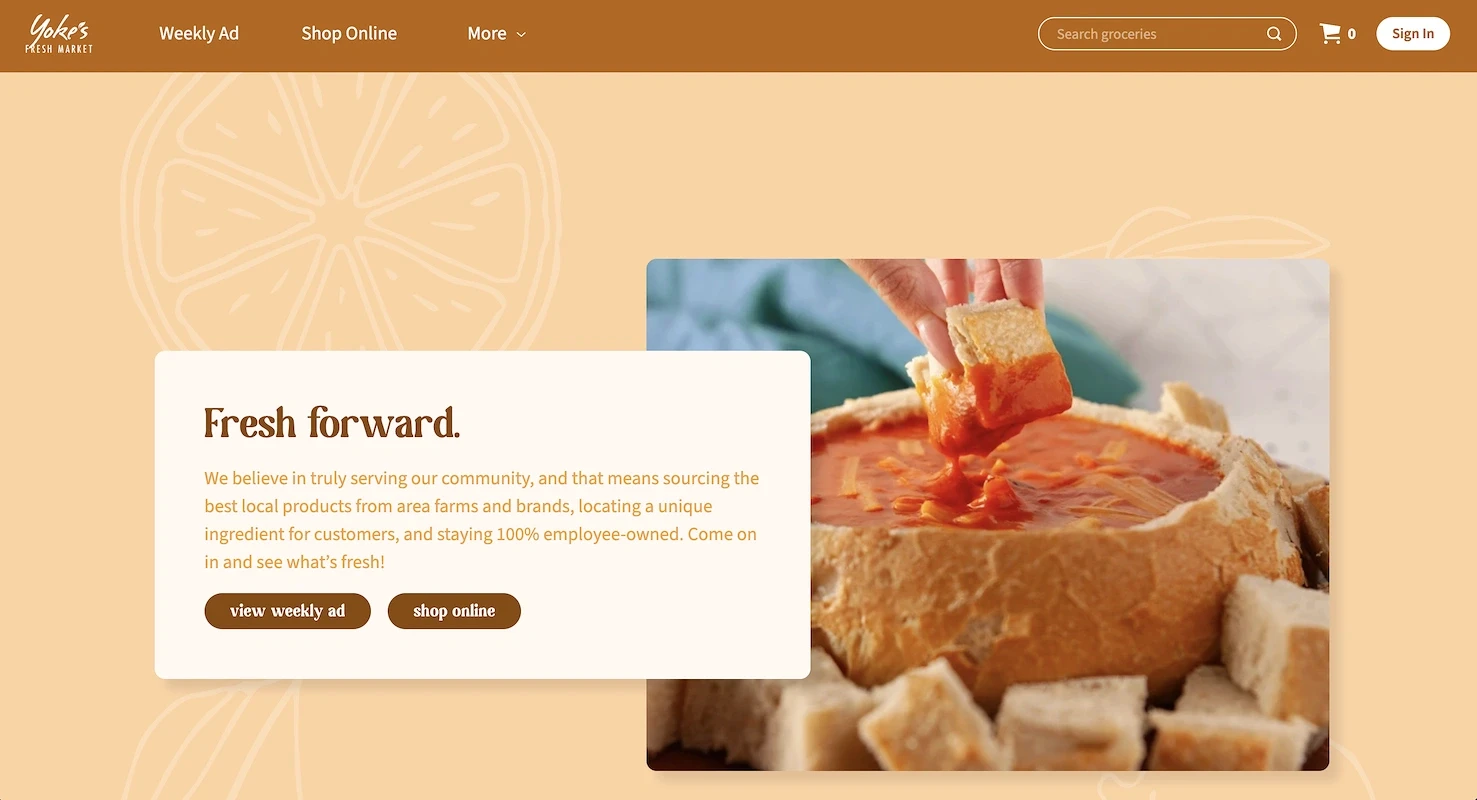
Does Yoke's Accept WIC?
Yoke's Fresh Markets accepts WIC at its authorized locations. Since the WIC program is administered at the state level, each store must be individually approved to participate. This means that not all Yoke's stores are guaranteed to accept WIC, making it necessary to confirm a specific store's status before shopping.
Most states now issue eWIC cards, which simplify the checkout process at participating Yoke's stores. These cards work like a debit card. When you are ready to pay, you swipe the card and enter your Personal Identification Number (PIN). The card automatically covers the cost of all approved WIC items in your purchase.
Does Yoke's accept WIC for online orders?
Yoke's offers online ordering and curbside pickup, but WIC benefits cannot be used for these services. All WIC transactions must be completed in-store using your physical eWIC card. This policy applies to all Yoke's locations, as the grocery chain does not currently support online WIC payments for delivery or pickup orders.
Why Some Yoke's Locations Accept WIC and Others Don't
Several factors determine why one Yoke's location might accept WIC while another does not. The reasons range from state-level rules to individual store characteristics.
State-Level Administration
Although WIC is federally funded, each state administers its own program. This means states like Washington, Idaho, and Montana each maintain a unique list of authorized grocery stores. A Yoke's in one state may be approved to accept WIC, while a store just across the state line may not be.
Store Authorization Requirements
To accept WIC benefits, a store must apply to its state agency and meet strict requirements. These include stocking minimum quantities of approved foods, using eWIC-compatible payment systems, and training staff properly. Some Yoke's locations may not pursue authorization or may not currently meet these standards.
Store Format and Inventory
A store’s physical size and format also play a role. Smaller Yoke's locations might lack the necessary shelf space to stock the full range and quantity of WIC-required inventory. Without the ability to carry all mandated items, these smaller format stores may not qualify for authorization under state guidelines.
Changing Authorization Status
A store’s authorization status is not permanent and can change over time. A Yoke's location could gain WIC approval or have its authorization lapse. Because a store's participation can be updated, it is always a good practice to confirm its current WIC status before you plan a shopping trip.
Download Benny app to save on groceries
Get coupons from your favorite brands
Earn 1-3% cash back on SNAP and track your EBT balance
Get 1% cash back with the Benny Visa card and build your credit score
Download the app

How to Find Yoke's Locations That Accept WIC
You can confirm whether a specific Yoke's store accepts WIC using several straightforward methods.
Check your state's WIC authorized store locator. Most states maintain an official list of approved grocery stores. You can find this list on your state WIC agency's website or through the USDA's WIC state directory.
Contact your local WIC office. If your state's list is not public or is hard to search, calling your local office is a good alternative. You can find the right WIC phone number and ask about state-specific rules and eligible stores.
Call your local Yoke's store. A quick phone call to your neighborhood Yoke's provides a direct answer. An employee can confirm WIC acceptance and explain checkout procedures, such as which lanes to use for WIC purchases.
Look for in-store signage. Authorized stores typically display a "WIC Accepted Here" sign near the entrance. Inside the store, shelf tags may also identify products that are eligible for WIC.
WIC-Eligible Items to Buy at Yoke's
WIC benefits provide nutritious foods for pregnant and postpartum women, infants, and children up to age five. Because each state determines the exact items, brands, and sizes, you must refer to your local WIC office's approved food guide. While lists vary, you can generally expect to find items in the following categories:
Fruits and Vegetables: Fresh, frozen, or canned options to meet your family's nutritional needs.
Dairy and Eggs: Includes milk, cheese, and yogurt, with specific types based on age and health factors.
Whole Grains: Items like whole-grain bread, brown rice, and tortillas are often included.
Protein: Sources such as dried or canned beans, peanut butter, and canned fish.
Infant Foods: State-approved infant formula, cereal, and baby food for the youngest participants.
Cereal and Juice: Iron-fortified, low-sugar cereals and 100% fruit or vegetable juice.
Download Benny & Earn Cash Back on Groceries
To save more on groceries, especially with SNAP, the free Benny app helps you save at stores like Walmart, Walgreens, Aldi, and Trader Joe's. You can:
Get coupons for your favorite brands: Access exclusive food coupons for hundreds of products.
Earn 1–3% cash back on SNAP purchases and track your EBT balance: If you're a SNAP recipient, use Benny to check your EBT balance and earn cash back on SNAP-eligible items at stores you already shop.
Get 1% cash back on everyday purchases with the Benny Visa card: Earn rewards beyond SNAP while building your credit over time.
Download Benny to start saving on your next shopping trip.
SHARE
Yes, Yoke's accepts WIC at many of its locations, though acceptance can vary by state and individual store.
If you are a WIC participant wondering whether you can use your benefits at your local Yoke's, this guide covers how to verify acceptance, what shopping options are available, and which WIC-eligible items you can typically find.
Does Yoke's Accept WIC?
Yoke's Fresh Markets accepts WIC at its authorized locations. Since the WIC program is administered at the state level, each store must be individually approved to participate. This means that not all Yoke's stores are guaranteed to accept WIC, making it necessary to confirm a specific store's status before shopping.
Most states now issue eWIC cards, which simplify the checkout process at participating Yoke's stores. These cards work like a debit card. When you are ready to pay, you swipe the card and enter your Personal Identification Number (PIN). The card automatically covers the cost of all approved WIC items in your purchase.
Does Yoke's accept WIC for online orders?
Yoke's offers online ordering and curbside pickup, but WIC benefits cannot be used for these services. All WIC transactions must be completed in-store using your physical eWIC card. This policy applies to all Yoke's locations, as the grocery chain does not currently support online WIC payments for delivery or pickup orders.
Why Some Yoke's Locations Accept WIC and Others Don't
Several factors determine why one Yoke's location might accept WIC while another does not. The reasons range from state-level rules to individual store characteristics.
State-Level Administration
Although WIC is federally funded, each state administers its own program. This means states like Washington, Idaho, and Montana each maintain a unique list of authorized grocery stores. A Yoke's in one state may be approved to accept WIC, while a store just across the state line may not be.
Store Authorization Requirements
To accept WIC benefits, a store must apply to its state agency and meet strict requirements. These include stocking minimum quantities of approved foods, using eWIC-compatible payment systems, and training staff properly. Some Yoke's locations may not pursue authorization or may not currently meet these standards.
Store Format and Inventory
A store’s physical size and format also play a role. Smaller Yoke's locations might lack the necessary shelf space to stock the full range and quantity of WIC-required inventory. Without the ability to carry all mandated items, these smaller format stores may not qualify for authorization under state guidelines.
Changing Authorization Status
A store’s authorization status is not permanent and can change over time. A Yoke's location could gain WIC approval or have its authorization lapse. Because a store's participation can be updated, it is always a good practice to confirm its current WIC status before you plan a shopping trip.
Download Benny app to save on groceries
Get coupons from your favorite brands
Earn 1-3% cash back on SNAP and track your EBT balance
Get 1% cash back with the Benny Visa card and build your credit score
Download the app
How to Find Yoke's Locations That Accept WIC
You can confirm whether a specific Yoke's store accepts WIC using several straightforward methods.
Check your state's WIC authorized store locator. Most states maintain an official list of approved grocery stores. You can find this list on your state WIC agency's website or through the USDA's WIC state directory.
Contact your local WIC office. If your state's list is not public or is hard to search, calling your local office is a good alternative. You can find the right WIC phone number and ask about state-specific rules and eligible stores.
Call your local Yoke's store. A quick phone call to your neighborhood Yoke's provides a direct answer. An employee can confirm WIC acceptance and explain checkout procedures, such as which lanes to use for WIC purchases.
Look for in-store signage. Authorized stores typically display a "WIC Accepted Here" sign near the entrance. Inside the store, shelf tags may also identify products that are eligible for WIC.
WIC-Eligible Items to Buy at Yoke's
WIC benefits provide nutritious foods for pregnant and postpartum women, infants, and children up to age five. Because each state determines the exact items, brands, and sizes, you must refer to your local WIC office's approved food guide. While lists vary, you can generally expect to find items in the following categories:
Fruits and Vegetables: Fresh, frozen, or canned options to meet your family's nutritional needs.
Dairy and Eggs: Includes milk, cheese, and yogurt, with specific types based on age and health factors.
Whole Grains: Items like whole-grain bread, brown rice, and tortillas are often included.
Protein: Sources such as dried or canned beans, peanut butter, and canned fish.
Infant Foods: State-approved infant formula, cereal, and baby food for the youngest participants.
Cereal and Juice: Iron-fortified, low-sugar cereals and 100% fruit or vegetable juice.
Download Benny & Earn Cash Back on Groceries
To save more on groceries, especially with SNAP, the free Benny app helps you save at stores like Walmart, Walgreens, Aldi, and Trader Joe's. You can:
Get coupons for your favorite brands: Access exclusive food coupons for hundreds of products.
Earn 1–3% cash back on SNAP purchases and track your EBT balance: If you're a SNAP recipient, use Benny to check your EBT balance and earn cash back on SNAP-eligible items at stores you already shop.
Get 1% cash back on everyday purchases with the Benny Visa card: Earn rewards beyond SNAP while building your credit over time.
Download Benny to start saving on your next shopping trip.
SHARE
Yes, Yoke's accepts WIC at many of its locations, though acceptance can vary by state and individual store.
If you are a WIC participant wondering whether you can use your benefits at your local Yoke's, this guide covers how to verify acceptance, what shopping options are available, and which WIC-eligible items you can typically find.
Does Yoke's Accept WIC?
Yoke's Fresh Markets accepts WIC at its authorized locations. Since the WIC program is administered at the state level, each store must be individually approved to participate. This means that not all Yoke's stores are guaranteed to accept WIC, making it necessary to confirm a specific store's status before shopping.
Most states now issue eWIC cards, which simplify the checkout process at participating Yoke's stores. These cards work like a debit card. When you are ready to pay, you swipe the card and enter your Personal Identification Number (PIN). The card automatically covers the cost of all approved WIC items in your purchase.
Does Yoke's accept WIC for online orders?
Yoke's offers online ordering and curbside pickup, but WIC benefits cannot be used for these services. All WIC transactions must be completed in-store using your physical eWIC card. This policy applies to all Yoke's locations, as the grocery chain does not currently support online WIC payments for delivery or pickup orders.
Why Some Yoke's Locations Accept WIC and Others Don't
Several factors determine why one Yoke's location might accept WIC while another does not. The reasons range from state-level rules to individual store characteristics.
State-Level Administration
Although WIC is federally funded, each state administers its own program. This means states like Washington, Idaho, and Montana each maintain a unique list of authorized grocery stores. A Yoke's in one state may be approved to accept WIC, while a store just across the state line may not be.
Store Authorization Requirements
To accept WIC benefits, a store must apply to its state agency and meet strict requirements. These include stocking minimum quantities of approved foods, using eWIC-compatible payment systems, and training staff properly. Some Yoke's locations may not pursue authorization or may not currently meet these standards.
Store Format and Inventory
A store’s physical size and format also play a role. Smaller Yoke's locations might lack the necessary shelf space to stock the full range and quantity of WIC-required inventory. Without the ability to carry all mandated items, these smaller format stores may not qualify for authorization under state guidelines.
Changing Authorization Status
A store’s authorization status is not permanent and can change over time. A Yoke's location could gain WIC approval or have its authorization lapse. Because a store's participation can be updated, it is always a good practice to confirm its current WIC status before you plan a shopping trip.
Download Benny app to save on groceries
Get coupons from your favorite brands
Earn 1-3% cash back on SNAP and track your EBT balance
Get 1% cash back with the Benny Visa card and build your credit score
Download the app
How to Find Yoke's Locations That Accept WIC
You can confirm whether a specific Yoke's store accepts WIC using several straightforward methods.
Check your state's WIC authorized store locator. Most states maintain an official list of approved grocery stores. You can find this list on your state WIC agency's website or through the USDA's WIC state directory.
Contact your local WIC office. If your state's list is not public or is hard to search, calling your local office is a good alternative. You can find the right WIC phone number and ask about state-specific rules and eligible stores.
Call your local Yoke's store. A quick phone call to your neighborhood Yoke's provides a direct answer. An employee can confirm WIC acceptance and explain checkout procedures, such as which lanes to use for WIC purchases.
Look for in-store signage. Authorized stores typically display a "WIC Accepted Here" sign near the entrance. Inside the store, shelf tags may also identify products that are eligible for WIC.
WIC-Eligible Items to Buy at Yoke's
WIC benefits provide nutritious foods for pregnant and postpartum women, infants, and children up to age five. Because each state determines the exact items, brands, and sizes, you must refer to your local WIC office's approved food guide. While lists vary, you can generally expect to find items in the following categories:
Fruits and Vegetables: Fresh, frozen, or canned options to meet your family's nutritional needs.
Dairy and Eggs: Includes milk, cheese, and yogurt, with specific types based on age and health factors.
Whole Grains: Items like whole-grain bread, brown rice, and tortillas are often included.
Protein: Sources such as dried or canned beans, peanut butter, and canned fish.
Infant Foods: State-approved infant formula, cereal, and baby food for the youngest participants.
Cereal and Juice: Iron-fortified, low-sugar cereals and 100% fruit or vegetable juice.
Download Benny & Earn Cash Back on Groceries
To save more on groceries, especially with SNAP, the free Benny app helps you save at stores like Walmart, Walgreens, Aldi, and Trader Joe's. You can:
Get coupons for your favorite brands: Access exclusive food coupons for hundreds of products.
Earn 1–3% cash back on SNAP purchases and track your EBT balance: If you're a SNAP recipient, use Benny to check your EBT balance and earn cash back on SNAP-eligible items at stores you already shop.
Get 1% cash back on everyday purchases with the Benny Visa card: Earn rewards beyond SNAP while building your credit over time.
Download Benny to start saving on your next shopping trip.
SHARE
Yes, Yoke's accepts WIC at many of its locations, though acceptance can vary by state and individual store.
If you are a WIC participant wondering whether you can use your benefits at your local Yoke's, this guide covers how to verify acceptance, what shopping options are available, and which WIC-eligible items you can typically find.
Does Yoke's Accept WIC?
Yoke's Fresh Markets accepts WIC at its authorized locations. Since the WIC program is administered at the state level, each store must be individually approved to participate. This means that not all Yoke's stores are guaranteed to accept WIC, making it necessary to confirm a specific store's status before shopping.
Most states now issue eWIC cards, which simplify the checkout process at participating Yoke's stores. These cards work like a debit card. When you are ready to pay, you swipe the card and enter your Personal Identification Number (PIN). The card automatically covers the cost of all approved WIC items in your purchase.
Does Yoke's accept WIC for online orders?
Yoke's offers online ordering and curbside pickup, but WIC benefits cannot be used for these services. All WIC transactions must be completed in-store using your physical eWIC card. This policy applies to all Yoke's locations, as the grocery chain does not currently support online WIC payments for delivery or pickup orders.
Why Some Yoke's Locations Accept WIC and Others Don't
Several factors determine why one Yoke's location might accept WIC while another does not. The reasons range from state-level rules to individual store characteristics.
State-Level Administration
Although WIC is federally funded, each state administers its own program. This means states like Washington, Idaho, and Montana each maintain a unique list of authorized grocery stores. A Yoke's in one state may be approved to accept WIC, while a store just across the state line may not be.
Store Authorization Requirements
To accept WIC benefits, a store must apply to its state agency and meet strict requirements. These include stocking minimum quantities of approved foods, using eWIC-compatible payment systems, and training staff properly. Some Yoke's locations may not pursue authorization or may not currently meet these standards.
Store Format and Inventory
A store’s physical size and format also play a role. Smaller Yoke's locations might lack the necessary shelf space to stock the full range and quantity of WIC-required inventory. Without the ability to carry all mandated items, these smaller format stores may not qualify for authorization under state guidelines.
Changing Authorization Status
A store’s authorization status is not permanent and can change over time. A Yoke's location could gain WIC approval or have its authorization lapse. Because a store's participation can be updated, it is always a good practice to confirm its current WIC status before you plan a shopping trip.
Download Benny app to save on groceries
Get coupons from your favorite brands
Earn 1-3% cash back on SNAP and track your EBT balance
Get 1% cash back with the Benny Visa card and build your credit score
Download the app
How to Find Yoke's Locations That Accept WIC
You can confirm whether a specific Yoke's store accepts WIC using several straightforward methods.
Check your state's WIC authorized store locator. Most states maintain an official list of approved grocery stores. You can find this list on your state WIC agency's website or through the USDA's WIC state directory.
Contact your local WIC office. If your state's list is not public or is hard to search, calling your local office is a good alternative. You can find the right WIC phone number and ask about state-specific rules and eligible stores.
Call your local Yoke's store. A quick phone call to your neighborhood Yoke's provides a direct answer. An employee can confirm WIC acceptance and explain checkout procedures, such as which lanes to use for WIC purchases.
Look for in-store signage. Authorized stores typically display a "WIC Accepted Here" sign near the entrance. Inside the store, shelf tags may also identify products that are eligible for WIC.
WIC-Eligible Items to Buy at Yoke's
WIC benefits provide nutritious foods for pregnant and postpartum women, infants, and children up to age five. Because each state determines the exact items, brands, and sizes, you must refer to your local WIC office's approved food guide. While lists vary, you can generally expect to find items in the following categories:
Fruits and Vegetables: Fresh, frozen, or canned options to meet your family's nutritional needs.
Dairy and Eggs: Includes milk, cheese, and yogurt, with specific types based on age and health factors.
Whole Grains: Items like whole-grain bread, brown rice, and tortillas are often included.
Protein: Sources such as dried or canned beans, peanut butter, and canned fish.
Infant Foods: State-approved infant formula, cereal, and baby food for the youngest participants.
Cereal and Juice: Iron-fortified, low-sugar cereals and 100% fruit or vegetable juice.
Download Benny & Earn Cash Back on Groceries
To save more on groceries, especially with SNAP, the free Benny app helps you save at stores like Walmart, Walgreens, Aldi, and Trader Joe's. You can:
Get coupons for your favorite brands: Access exclusive food coupons for hundreds of products.
Earn 1–3% cash back on SNAP purchases and track your EBT balance: If you're a SNAP recipient, use Benny to check your EBT balance and earn cash back on SNAP-eligible items at stores you already shop.
Get 1% cash back on everyday purchases with the Benny Visa card: Earn rewards beyond SNAP while building your credit over time.
Download Benny to start saving on your next shopping trip.
