Does Family Dollar Accept WIC in 2026?
Find out if Family Dollar takes WIC for in-store, online, or delivery purchases, and what determines individual store eligibility.

Steve Austin
Updated on:
Published on:
Does Family Dollar Accept WIC in 2026?
Find out if Family Dollar takes WIC for in-store, online, or delivery purchases, and what determines individual store eligibility.
Steve Austin
Updated on:
Published on:
Does Family Dollar Accept WIC in 2026?
Find out if Family Dollar takes WIC for in-store, online, or delivery purchases, and what determines individual store eligibility.
Steve Austin
Updated on:
Published on:
Does Family Dollar Accept WIC in 2026?
Find out if Family Dollar takes WIC for in-store, online, or delivery purchases, and what determines individual store eligibility.
Steve Austin
Updated on:
Published on:
SHARE


ON THIS PAGE
Yes, Family Dollar accepts WIC at many of its U.S. locations, though acceptance varies by state and individual store.
If you're a WIC participant wondering whether you can use your benefits at your local Family Dollar, this guide covers how to verify acceptance, what shopping options are available, and which WIC-eligible items you can typically find.
Does Family Dollar Accept WIC?
Family Dollar accepts WIC benefits, but only at participating locations. Because the WIC program is administered at the state level, each store must be individually authorized to accept payments. Since only a fraction of Family Dollar stores are part of the program, it is important to verify a store's participation before shopping.
Most states now issue eWIC cards, which have simplified the checkout process. At an authorized Family Dollar, your eWIC card works just like a debit card. You will swipe the card at the terminal and enter your PIN. The system automatically deducts the cost of eligible items from your benefits balance.
Does Family Dollar accept WIC for online orders?
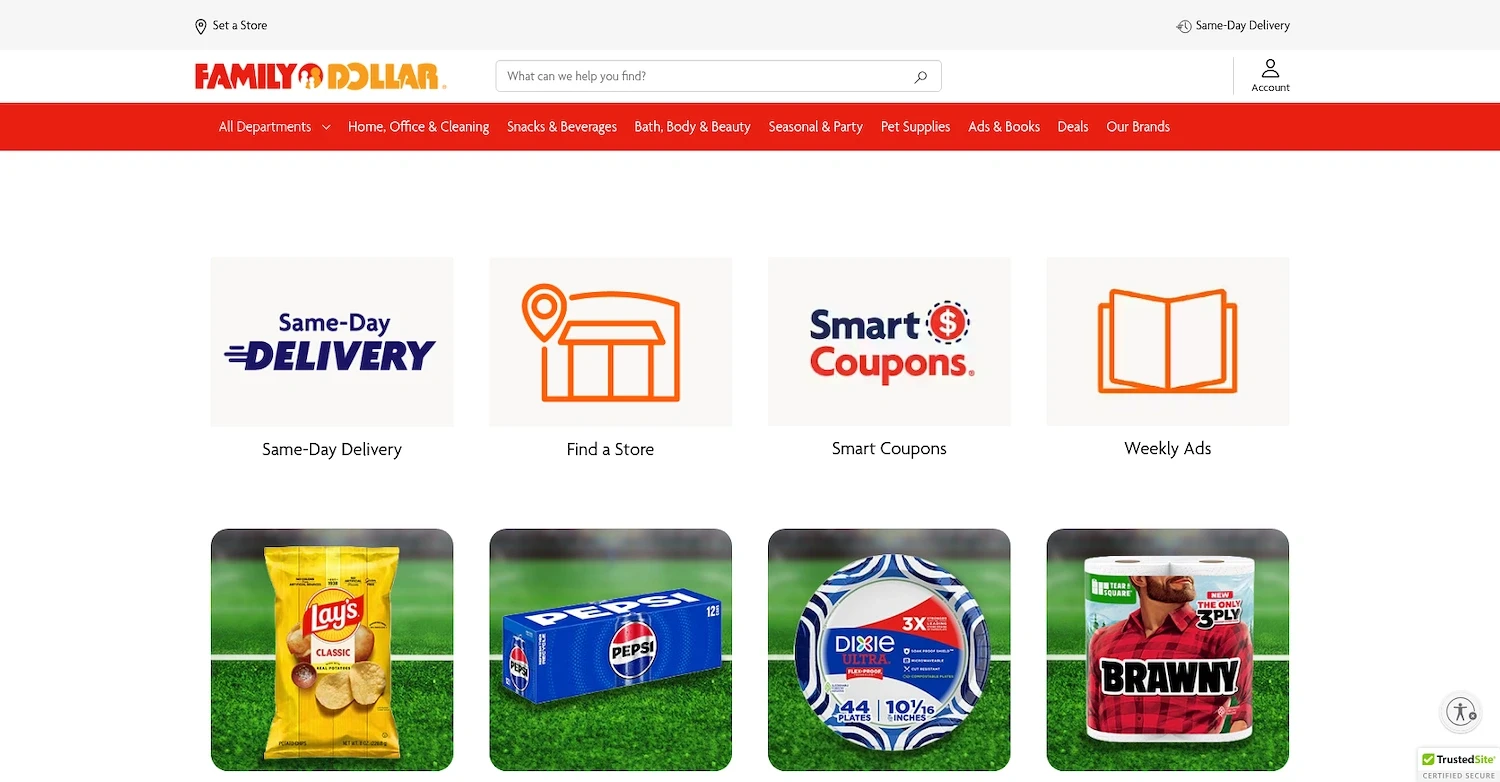
WIC benefits cannot be used for online purchases, curbside pickup, or delivery orders at Family Dollar. All WIC transactions must be completed in-store at an authorized location. While the Family Dollar app can help you browse products and find store information, you must go inside the store to pay for WIC-approved items with your eWIC card.
Why Some Family Dollar Locations Accept WIC and Others Don't
Several factors determine whether a specific Family Dollar store can accept WIC. The decision involves state-level rules, store-specific qualifications, and even the physical size of the location.
State-Level Administration
Although WIC is a federal program, it is administered by individual states. Each state agency maintains its own list of authorized vendors. This is why a Family Dollar in your state might accept WIC, while another location just across the state line does not, as it falls under a different jurisdiction.
Store Requirements
To accept WIC benefits, a store must apply to its state agency and meet strict criteria. These requirements often include stocking minimum quantities of approved foods and using an eWIC-compatible payment system. Some Family Dollar locations may not pursue authorization or fail to meet these standards.
Store Format and Inventory
The physical format of a store also plays a role. Many Family Dollar locations are smaller than traditional grocery stores and may lack the shelf space to carry the required WIC inventory. Smaller formats might not have enough room for the variety and quantity of products needed to qualify for the program.
Authorization Can Change
A store’s WIC authorization is not always permanent. A location can gain or lose its status based on compliance reviews or changes in store policy. Because participation can change, it is always a good idea to confirm a store’s current WIC acceptance before you plan your shopping trip to avoid any issues at checkout.
Download Benny app to save on groceries
Get coupons from your favorite brands
Earn 1-3% cash back on SNAP and track your EBT balance
Get 1% cash back with the Benny Visa card and build your credit score
Download the app

How to Find Family Dollar Locations That Accept WIC
There are several easy ways to find out if a specific Family Dollar store accepts WIC.
Check your state's WIC authorized store locator. Most states maintain an official list of authorized vendors. You can find this list on your state WIC agency's website or through the USDA's WIC state directory.
Contact your local WIC office. If your state does not have a public list of authorized vendors, calling your local office is another great option. An agent can clarify state-specific rules and tell you which stores are eligible, and you can find the correct WIC phone number online.
Call your local Family Dollar store. A store employee can confirm WIC acceptance over the phone. They can also answer questions about checkout procedures, such as which lanes to use for WIC transactions.
Look for in-store signage. Authorized stores typically display a "WIC Accepted Here" sign near the entrance. Inside, shelf tags may also identify specific WIC-eligible products.
WIC-Eligible Items to Buy at Family Dollar
The WIC program provides nutritious foods for pregnant and postpartum women, infants, and children under five. Your state’s WIC agency determines the exact items, brands, and sizes you can buy. Always check the approved food guide from your local WIC office before you shop. While selection can be limited, participating Family Dollar stores often carry these WIC-eligible items:
Dairy: Milk and cheese.
Eggs: Typically one dozen large eggs.
Cereal: A selection of WIC-approved cold and hot cereals.
Juice: 100% fruit or vegetable juice.
Baby Food: A limited selection of infant formula, cereal, and jarred foods.
Pantry Staples: Peanut butter and specific types of bread.
Download Benny & Earn Cash Back on Groceries
Looking for more ways to stretch your grocery budget, especially if you also receive SNAP? Benny is a free app that helps you save on groceries at stores like Walmart, Walgreens, Aldi, and Trader Joe's. With Benny, you can:
Get coupons for your favorite brands: Access exclusive food coupons for hundreds of products.
Earn 1–3% cash back on SNAP purchases and track your EBT balance: If you're a SNAP recipient, use Benny to check your EBT balance and earn cash back on SNAP-eligible items at stores you already shop.
Get 1% cash back on everyday purchases with the Benny Visa card: Earn rewards beyond SNAP while building your credit over time.
Download Benny to start saving on your next shopping trip.
SHARE
Yes, Family Dollar accepts WIC at many of its U.S. locations, though acceptance varies by state and individual store.
If you're a WIC participant wondering whether you can use your benefits at your local Family Dollar, this guide covers how to verify acceptance, what shopping options are available, and which WIC-eligible items you can typically find.
Does Family Dollar Accept WIC?
Family Dollar accepts WIC benefits, but only at participating locations. Because the WIC program is administered at the state level, each store must be individually authorized to accept payments. Since only a fraction of Family Dollar stores are part of the program, it is important to verify a store's participation before shopping.
Most states now issue eWIC cards, which have simplified the checkout process. At an authorized Family Dollar, your eWIC card works just like a debit card. You will swipe the card at the terminal and enter your PIN. The system automatically deducts the cost of eligible items from your benefits balance.
Does Family Dollar accept WIC for online orders?
WIC benefits cannot be used for online purchases, curbside pickup, or delivery orders at Family Dollar. All WIC transactions must be completed in-store at an authorized location. While the Family Dollar app can help you browse products and find store information, you must go inside the store to pay for WIC-approved items with your eWIC card.
Why Some Family Dollar Locations Accept WIC and Others Don't
Several factors determine whether a specific Family Dollar store can accept WIC. The decision involves state-level rules, store-specific qualifications, and even the physical size of the location.
State-Level Administration
Although WIC is a federal program, it is administered by individual states. Each state agency maintains its own list of authorized vendors. This is why a Family Dollar in your state might accept WIC, while another location just across the state line does not, as it falls under a different jurisdiction.
Store Requirements
To accept WIC benefits, a store must apply to its state agency and meet strict criteria. These requirements often include stocking minimum quantities of approved foods and using an eWIC-compatible payment system. Some Family Dollar locations may not pursue authorization or fail to meet these standards.
Store Format and Inventory
The physical format of a store also plays a role. Many Family Dollar locations are smaller than traditional grocery stores and may lack the shelf space to carry the required WIC inventory. Smaller formats might not have enough room for the variety and quantity of products needed to qualify for the program.
Authorization Can Change
A store’s WIC authorization is not always permanent. A location can gain or lose its status based on compliance reviews or changes in store policy. Because participation can change, it is always a good idea to confirm a store’s current WIC acceptance before you plan your shopping trip to avoid any issues at checkout.
Download Benny app to save on groceries
Get coupons from your favorite brands
Earn 1-3% cash back on SNAP and track your EBT balance
Get 1% cash back with the Benny Visa card and build your credit score
Download the app
How to Find Family Dollar Locations That Accept WIC
There are several easy ways to find out if a specific Family Dollar store accepts WIC.
Check your state's WIC authorized store locator. Most states maintain an official list of authorized vendors. You can find this list on your state WIC agency's website or through the USDA's WIC state directory.
Contact your local WIC office. If your state does not have a public list of authorized vendors, calling your local office is another great option. An agent can clarify state-specific rules and tell you which stores are eligible, and you can find the correct WIC phone number online.
Call your local Family Dollar store. A store employee can confirm WIC acceptance over the phone. They can also answer questions about checkout procedures, such as which lanes to use for WIC transactions.
Look for in-store signage. Authorized stores typically display a "WIC Accepted Here" sign near the entrance. Inside, shelf tags may also identify specific WIC-eligible products.
WIC-Eligible Items to Buy at Family Dollar
The WIC program provides nutritious foods for pregnant and postpartum women, infants, and children under five. Your state’s WIC agency determines the exact items, brands, and sizes you can buy. Always check the approved food guide from your local WIC office before you shop. While selection can be limited, participating Family Dollar stores often carry these WIC-eligible items:
Dairy: Milk and cheese.
Eggs: Typically one dozen large eggs.
Cereal: A selection of WIC-approved cold and hot cereals.
Juice: 100% fruit or vegetable juice.
Baby Food: A limited selection of infant formula, cereal, and jarred foods.
Pantry Staples: Peanut butter and specific types of bread.
Download Benny & Earn Cash Back on Groceries
Looking for more ways to stretch your grocery budget, especially if you also receive SNAP? Benny is a free app that helps you save on groceries at stores like Walmart, Walgreens, Aldi, and Trader Joe's. With Benny, you can:
Get coupons for your favorite brands: Access exclusive food coupons for hundreds of products.
Earn 1–3% cash back on SNAP purchases and track your EBT balance: If you're a SNAP recipient, use Benny to check your EBT balance and earn cash back on SNAP-eligible items at stores you already shop.
Get 1% cash back on everyday purchases with the Benny Visa card: Earn rewards beyond SNAP while building your credit over time.
Download Benny to start saving on your next shopping trip.
SHARE
Yes, Family Dollar accepts WIC at many of its U.S. locations, though acceptance varies by state and individual store.
If you're a WIC participant wondering whether you can use your benefits at your local Family Dollar, this guide covers how to verify acceptance, what shopping options are available, and which WIC-eligible items you can typically find.
Does Family Dollar Accept WIC?
Family Dollar accepts WIC benefits, but only at participating locations. Because the WIC program is administered at the state level, each store must be individually authorized to accept payments. Since only a fraction of Family Dollar stores are part of the program, it is important to verify a store's participation before shopping.
Most states now issue eWIC cards, which have simplified the checkout process. At an authorized Family Dollar, your eWIC card works just like a debit card. You will swipe the card at the terminal and enter your PIN. The system automatically deducts the cost of eligible items from your benefits balance.
Does Family Dollar accept WIC for online orders?
WIC benefits cannot be used for online purchases, curbside pickup, or delivery orders at Family Dollar. All WIC transactions must be completed in-store at an authorized location. While the Family Dollar app can help you browse products and find store information, you must go inside the store to pay for WIC-approved items with your eWIC card.
Why Some Family Dollar Locations Accept WIC and Others Don't
Several factors determine whether a specific Family Dollar store can accept WIC. The decision involves state-level rules, store-specific qualifications, and even the physical size of the location.
State-Level Administration
Although WIC is a federal program, it is administered by individual states. Each state agency maintains its own list of authorized vendors. This is why a Family Dollar in your state might accept WIC, while another location just across the state line does not, as it falls under a different jurisdiction.
Store Requirements
To accept WIC benefits, a store must apply to its state agency and meet strict criteria. These requirements often include stocking minimum quantities of approved foods and using an eWIC-compatible payment system. Some Family Dollar locations may not pursue authorization or fail to meet these standards.
Store Format and Inventory
The physical format of a store also plays a role. Many Family Dollar locations are smaller than traditional grocery stores and may lack the shelf space to carry the required WIC inventory. Smaller formats might not have enough room for the variety and quantity of products needed to qualify for the program.
Authorization Can Change
A store’s WIC authorization is not always permanent. A location can gain or lose its status based on compliance reviews or changes in store policy. Because participation can change, it is always a good idea to confirm a store’s current WIC acceptance before you plan your shopping trip to avoid any issues at checkout.
Download Benny app to save on groceries
Get coupons from your favorite brands
Earn 1-3% cash back on SNAP and track your EBT balance
Get 1% cash back with the Benny Visa card and build your credit score
Download the app
How to Find Family Dollar Locations That Accept WIC
There are several easy ways to find out if a specific Family Dollar store accepts WIC.
Check your state's WIC authorized store locator. Most states maintain an official list of authorized vendors. You can find this list on your state WIC agency's website or through the USDA's WIC state directory.
Contact your local WIC office. If your state does not have a public list of authorized vendors, calling your local office is another great option. An agent can clarify state-specific rules and tell you which stores are eligible, and you can find the correct WIC phone number online.
Call your local Family Dollar store. A store employee can confirm WIC acceptance over the phone. They can also answer questions about checkout procedures, such as which lanes to use for WIC transactions.
Look for in-store signage. Authorized stores typically display a "WIC Accepted Here" sign near the entrance. Inside, shelf tags may also identify specific WIC-eligible products.
WIC-Eligible Items to Buy at Family Dollar
The WIC program provides nutritious foods for pregnant and postpartum women, infants, and children under five. Your state’s WIC agency determines the exact items, brands, and sizes you can buy. Always check the approved food guide from your local WIC office before you shop. While selection can be limited, participating Family Dollar stores often carry these WIC-eligible items:
Dairy: Milk and cheese.
Eggs: Typically one dozen large eggs.
Cereal: A selection of WIC-approved cold and hot cereals.
Juice: 100% fruit or vegetable juice.
Baby Food: A limited selection of infant formula, cereal, and jarred foods.
Pantry Staples: Peanut butter and specific types of bread.
Download Benny & Earn Cash Back on Groceries
Looking for more ways to stretch your grocery budget, especially if you also receive SNAP? Benny is a free app that helps you save on groceries at stores like Walmart, Walgreens, Aldi, and Trader Joe's. With Benny, you can:
Get coupons for your favorite brands: Access exclusive food coupons for hundreds of products.
Earn 1–3% cash back on SNAP purchases and track your EBT balance: If you're a SNAP recipient, use Benny to check your EBT balance and earn cash back on SNAP-eligible items at stores you already shop.
Get 1% cash back on everyday purchases with the Benny Visa card: Earn rewards beyond SNAP while building your credit over time.
Download Benny to start saving on your next shopping trip.
SHARE
Yes, Family Dollar accepts WIC at many of its U.S. locations, though acceptance varies by state and individual store.
If you're a WIC participant wondering whether you can use your benefits at your local Family Dollar, this guide covers how to verify acceptance, what shopping options are available, and which WIC-eligible items you can typically find.
Does Family Dollar Accept WIC?
Family Dollar accepts WIC benefits, but only at participating locations. Because the WIC program is administered at the state level, each store must be individually authorized to accept payments. Since only a fraction of Family Dollar stores are part of the program, it is important to verify a store's participation before shopping.
Most states now issue eWIC cards, which have simplified the checkout process. At an authorized Family Dollar, your eWIC card works just like a debit card. You will swipe the card at the terminal and enter your PIN. The system automatically deducts the cost of eligible items from your benefits balance.
Does Family Dollar accept WIC for online orders?
WIC benefits cannot be used for online purchases, curbside pickup, or delivery orders at Family Dollar. All WIC transactions must be completed in-store at an authorized location. While the Family Dollar app can help you browse products and find store information, you must go inside the store to pay for WIC-approved items with your eWIC card.
Why Some Family Dollar Locations Accept WIC and Others Don't
Several factors determine whether a specific Family Dollar store can accept WIC. The decision involves state-level rules, store-specific qualifications, and even the physical size of the location.
State-Level Administration
Although WIC is a federal program, it is administered by individual states. Each state agency maintains its own list of authorized vendors. This is why a Family Dollar in your state might accept WIC, while another location just across the state line does not, as it falls under a different jurisdiction.
Store Requirements
To accept WIC benefits, a store must apply to its state agency and meet strict criteria. These requirements often include stocking minimum quantities of approved foods and using an eWIC-compatible payment system. Some Family Dollar locations may not pursue authorization or fail to meet these standards.
Store Format and Inventory
The physical format of a store also plays a role. Many Family Dollar locations are smaller than traditional grocery stores and may lack the shelf space to carry the required WIC inventory. Smaller formats might not have enough room for the variety and quantity of products needed to qualify for the program.
Authorization Can Change
A store’s WIC authorization is not always permanent. A location can gain or lose its status based on compliance reviews or changes in store policy. Because participation can change, it is always a good idea to confirm a store’s current WIC acceptance before you plan your shopping trip to avoid any issues at checkout.
Download Benny app to save on groceries
Get coupons from your favorite brands
Earn 1-3% cash back on SNAP and track your EBT balance
Get 1% cash back with the Benny Visa card and build your credit score
Download the app
How to Find Family Dollar Locations That Accept WIC
There are several easy ways to find out if a specific Family Dollar store accepts WIC.
Check your state's WIC authorized store locator. Most states maintain an official list of authorized vendors. You can find this list on your state WIC agency's website or through the USDA's WIC state directory.
Contact your local WIC office. If your state does not have a public list of authorized vendors, calling your local office is another great option. An agent can clarify state-specific rules and tell you which stores are eligible, and you can find the correct WIC phone number online.
Call your local Family Dollar store. A store employee can confirm WIC acceptance over the phone. They can also answer questions about checkout procedures, such as which lanes to use for WIC transactions.
Look for in-store signage. Authorized stores typically display a "WIC Accepted Here" sign near the entrance. Inside, shelf tags may also identify specific WIC-eligible products.
WIC-Eligible Items to Buy at Family Dollar
The WIC program provides nutritious foods for pregnant and postpartum women, infants, and children under five. Your state’s WIC agency determines the exact items, brands, and sizes you can buy. Always check the approved food guide from your local WIC office before you shop. While selection can be limited, participating Family Dollar stores often carry these WIC-eligible items:
Dairy: Milk and cheese.
Eggs: Typically one dozen large eggs.
Cereal: A selection of WIC-approved cold and hot cereals.
Juice: 100% fruit or vegetable juice.
Baby Food: A limited selection of infant formula, cereal, and jarred foods.
Pantry Staples: Peanut butter and specific types of bread.
Download Benny & Earn Cash Back on Groceries
Looking for more ways to stretch your grocery budget, especially if you also receive SNAP? Benny is a free app that helps you save on groceries at stores like Walmart, Walgreens, Aldi, and Trader Joe's. With Benny, you can:
Get coupons for your favorite brands: Access exclusive food coupons for hundreds of products.
Earn 1–3% cash back on SNAP purchases and track your EBT balance: If you're a SNAP recipient, use Benny to check your EBT balance and earn cash back on SNAP-eligible items at stores you already shop.
Get 1% cash back on everyday purchases with the Benny Visa card: Earn rewards beyond SNAP while building your credit over time.
Download Benny to start saving on your next shopping trip.
