5 Ways to Check Your North Dakota EBT Balance
Quickly check EBT balance in North Dakota online, with the Benny app, or simply by phone.

Edward Cheng
Updated on:
Published on:
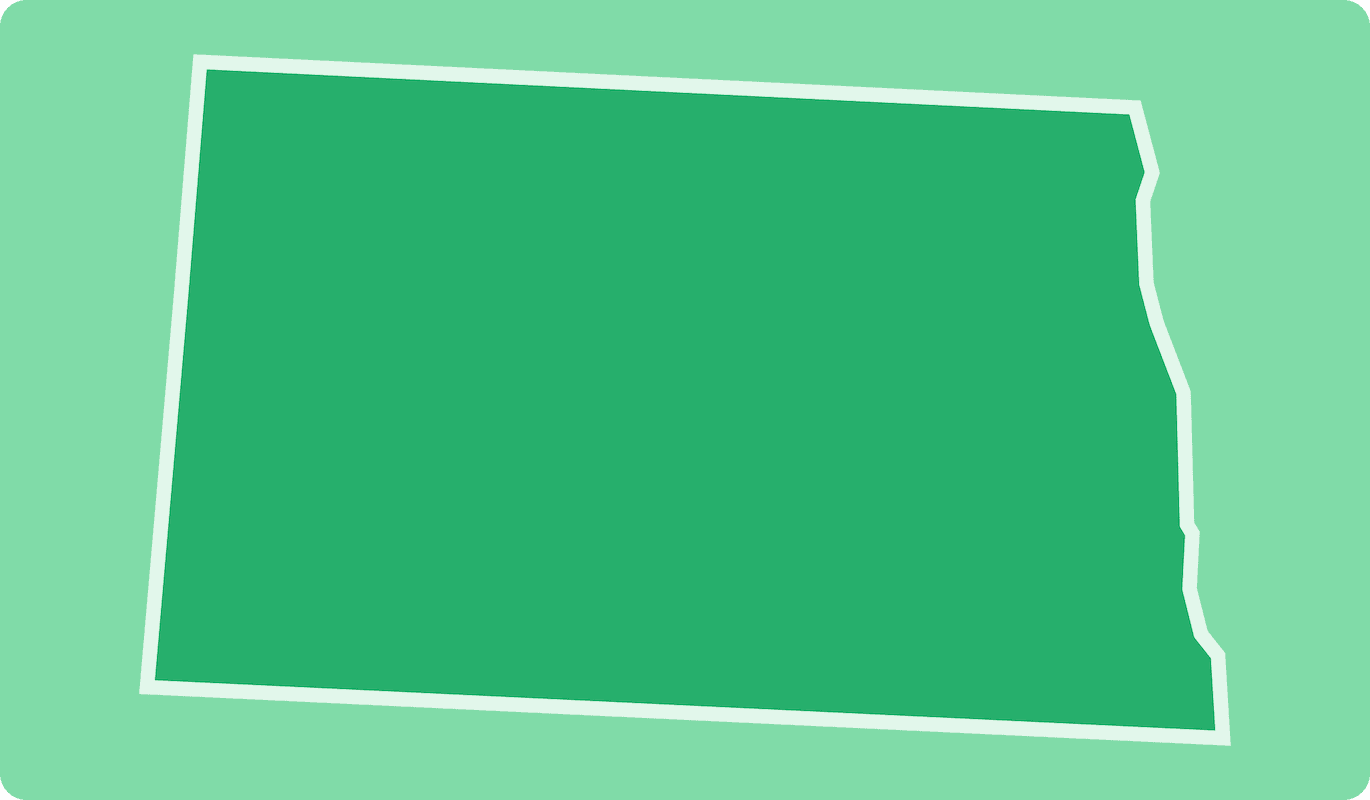
5 Ways to Check Your North Dakota EBT Balance
Quickly check EBT balance in North Dakota online, with the Benny app, or simply by phone.
Edward Cheng
Updated on:
Published on:
5 Ways to Check Your North Dakota EBT Balance
Quickly check EBT balance in North Dakota online, with the Benny app, or simply by phone.
Edward Cheng
Updated on:
Published on:
5 Ways to Check Your North Dakota EBT Balance
Quickly check EBT balance in North Dakota online, with the Benny app, or simply by phone.
Edward Cheng
Updated on:
Published on:
SHARE


ON THIS PAGE
Your EBT card provides access to benefits from the Supplemental Nutrition Assistance Program (SNAP) or EBT Cash, such as from Temporary Assistance for Needy Families (TANF). Effectively managing these funds is important for budgeting and preventing shortages. A regular EBT balance check in North Dakota is a good way to stay on top of your spending.
This guide explains how to check North Dakota EBT balance using several methods, from a mobile app to calling customer service.
How to Check Your EBT Balance in North Dakota
You can check your EBT funds in four main ways: through the online ebtEDGE cardholder portal, with the Benny mobile app, by calling the toll-free customer service number, or by looking at your last store receipt. Each method is free and available statewide, allowing you to choose the one that best fits your needs.
1. Use the Online Cardholder Portal
Accessing your account online is a straightforward way to check North Dakota EBT balance. You will need to create an account first.
Navigate to the North Dakota Electronic Benefits Transfer page and find the link for the “Cardholder Portal/ebtEDGE.”
On the ebtEDGE homepage, choose “Cardholder Login” to begin.
Create your account using your 16-digit EBT card number, Social Security number, and ZIP code. You will also create a User ID and password.
Once you sign in, your current SNAP and EBT Cash balances will appear on the “Account Summary” screen.
You can also click “Transaction History” to review deposits and purchases. If you forget your password, use the “Forgot Password” link on the login screen to reset it.
2. Download the Benny App
Using a mobile app provides a quick method for an EBT balance check in North Dakota. The Benny app shows your real-time food and cash benefit amounts.
Download the Benny app to your smartphone.
Sign up with your phone number or email address and enter your zip code.
Link your EBT card to your account.
From the app's home screen, tap the “Balance” icon to see your current funds. You can refresh this information anytime by swiping down.
Benny also offers automatic cash back on eligible purchases at participating stores, including Walmart, Costco, Walgreens, and Trader Joe’s. You can find a list of stores inside the app.
3. Call the Customer Service Line
Calling the state’s 24/7 automated phone line is another option to check your EBT balance. Have your card information ready before you call.
Dial 1-800-630-4655.
Listen to the voice prompts and enter your 16-digit EBT card number.
Provide your 4-digit PIN when prompted to hear your balance information.
The automated system will play your current balance. You can also stay on the line to hear your transaction history or report a lost or stolen card.
Live interpreters are available in Spanish, Somali, Mandarin, and Hmong. More information on multilingual assistance can be found on the Apply-for-Help Publications page.
4. Check a Receipt or ATM
Reviewing your most recent grocery receipt is a simple way to keep track of your funds. Your remaining food and EBT Cash balance is printed at the bottom of the receipt after every purchase.
You can also perform a balance inquiry at an ATM that displays the Quest logo. Insert your card, enter your PIN, and choose the “Balance Inquiry” option to see your food and cash balances on the screen or on a printed slip without a fee.
To find a surcharge-free ATM, you can use the “ATM Locator” feature in the ebtEDGE cardholder portal or call the customer service line at 1-800-630-4655 for a list of nearby locations.
Download Benny app to save on groceries
Get coupons from your favorite brands
Earn 1-3% cash back on SNAP and track your EBT balance
Get 1% cash back with the Benny Visa card and build your credit score
Download the app

How Can I Keep My EBT Card Secure?
With phishing and spam attacks on the rise, it is important to recognize the different forms these scams can take. Knowing the signs of fraud helps you protect your benefits and take the right steps quickly if they are compromised.
How EBT Benefits Are Stolen
Thieves use card-skimming devices on store terminals, phishing texts that ask for your PIN, and fake websites that mimic official branding to steal your benefits. A regular EBT balance check in North Dakota can help you spot unauthorized activity quickly.
What To Do If Your Benefits Are Stolen
If you find suspicious charges, act fast. A routine check North Dakota EBT balance can help you notice theft early. To report fraud:
Call 800-630-4655 to cancel your card.
Submit Form SFN 270 to the state agency within ten days.
The state may replace stolen SNAP benefits for thefts after October 1, 2022, limited to two times per year. This program only covers SNAP, not EBT Cash, and may end after September 30, 2025.
Other Common Issues with EBT Cards and How to Resolve Them
From a worn-out magnetic stripe to a forgotten PIN, several common issues can prevent you from using your EBT card. Here’s how to troubleshoot and resolve them without delay.
Card Declined or Will Not Swipe
A declined transaction can happen for several reasons. The card’s magnetic stripe or chip might be worn out from use, or your balance could be too low for the purchase.
Another possibility is that you have blocked out-of-state transactions and are trying to use the card while traveling. A quick EBT balance check in North Dakota can help you confirm if you have enough funds.
Ask the cashier to key-enter the card number manually.
Check your balance using your last receipt, by calling 1-800-630-4655, or by opening the Benny mobile app.
If the card is damaged, request a free replacement through the ebtEDGE website or by calling the helpline. A new card will arrive in about seven business days.
Before traveling, log in to the cardholder portal to unblock out-of-state purchases.
Forgotten or Locked PIN
For security, your EBT card will automatically lock after three incorrect PIN attempts. This prevents unauthorized use if your card falls into the wrong hands.
Call customer service at 1-800-630-4655 and follow the prompts to reset your PIN after verifying your identity.
You can also change your PIN using the ebtEDGE mobile app or website if you still have the card.
Choose a new PIN that is easy for you to remember but difficult for others to guess. It's a good practice to check North Dakota EBT balance and change your PIN periodically.
Lost, Stolen, or Damaged Card
Cards can get lost, stolen, or simply stop working due to physical damage. This can happen from everyday wear and tear, accidental demagnetization, or during a move.
Immediately freeze or cancel your card by calling 1-800-630-4655 or by logging into the cardholder portal or ebtEDGE app.
Order a replacement card during the same call or online session. It will be mailed to the address on file.
If you have moved, update your address in the North Dakota Self-Service Portal to make sure the new card arrives at the correct location. A regular check EBT balance in North Dakota can help you monitor for any issues.
Get 1-3% cash back on groceries and track your EBT Balance
Download the app
Track Your EBT Balance and Earn Cashback with Benny
Benny is a free app that helps you get cash back on eligible purchases at stores like Target, Walmart, Kroger, and Costco. To get started, link your EBT card to the app. After you make a purchase, scan your receipt with Benny to receive cashback on SNAP-eligible items. The app also offers a convenient way to check EBT balance in North Dakota in real time.
Download Benny to take control of your spending and get more out of your EBT benefits.
SHARE
Your EBT card provides access to benefits from the Supplemental Nutrition Assistance Program (SNAP) or EBT Cash, such as from Temporary Assistance for Needy Families (TANF). Effectively managing these funds is important for budgeting and preventing shortages. A regular EBT balance check in North Dakota is a good way to stay on top of your spending.
This guide explains how to check North Dakota EBT balance using several methods, from a mobile app to calling customer service.
How to Check Your EBT Balance in North Dakota
You can check your EBT funds in four main ways: through the online ebtEDGE cardholder portal, with the Benny mobile app, by calling the toll-free customer service number, or by looking at your last store receipt. Each method is free and available statewide, allowing you to choose the one that best fits your needs.
1. Use the Online Cardholder Portal
Accessing your account online is a straightforward way to check North Dakota EBT balance. You will need to create an account first.
Navigate to the North Dakota Electronic Benefits Transfer page and find the link for the “Cardholder Portal/ebtEDGE.”
On the ebtEDGE homepage, choose “Cardholder Login” to begin.
Create your account using your 16-digit EBT card number, Social Security number, and ZIP code. You will also create a User ID and password.
Once you sign in, your current SNAP and EBT Cash balances will appear on the “Account Summary” screen.
You can also click “Transaction History” to review deposits and purchases. If you forget your password, use the “Forgot Password” link on the login screen to reset it.
2. Download the Benny App
Using a mobile app provides a quick method for an EBT balance check in North Dakota. The Benny app shows your real-time food and cash benefit amounts.
Download the Benny app to your smartphone.
Sign up with your phone number or email address and enter your zip code.
Link your EBT card to your account.
From the app's home screen, tap the “Balance” icon to see your current funds. You can refresh this information anytime by swiping down.
Benny also offers automatic cash back on eligible purchases at participating stores, including Walmart, Costco, Walgreens, and Trader Joe’s. You can find a list of stores inside the app.
3. Call the Customer Service Line
Calling the state’s 24/7 automated phone line is another option to check your EBT balance. Have your card information ready before you call.
Dial 1-800-630-4655.
Listen to the voice prompts and enter your 16-digit EBT card number.
Provide your 4-digit PIN when prompted to hear your balance information.
The automated system will play your current balance. You can also stay on the line to hear your transaction history or report a lost or stolen card.
Live interpreters are available in Spanish, Somali, Mandarin, and Hmong. More information on multilingual assistance can be found on the Apply-for-Help Publications page.
4. Check a Receipt or ATM
Reviewing your most recent grocery receipt is a simple way to keep track of your funds. Your remaining food and EBT Cash balance is printed at the bottom of the receipt after every purchase.
You can also perform a balance inquiry at an ATM that displays the Quest logo. Insert your card, enter your PIN, and choose the “Balance Inquiry” option to see your food and cash balances on the screen or on a printed slip without a fee.
To find a surcharge-free ATM, you can use the “ATM Locator” feature in the ebtEDGE cardholder portal or call the customer service line at 1-800-630-4655 for a list of nearby locations.
Download Benny app to save on groceries
Get coupons from your favorite brands
Earn 1-3% cash back on SNAP and track your EBT balance
Get 1% cash back with the Benny Visa card and build your credit score
Download the app
How Can I Keep My EBT Card Secure?
With phishing and spam attacks on the rise, it is important to recognize the different forms these scams can take. Knowing the signs of fraud helps you protect your benefits and take the right steps quickly if they are compromised.
How EBT Benefits Are Stolen
Thieves use card-skimming devices on store terminals, phishing texts that ask for your PIN, and fake websites that mimic official branding to steal your benefits. A regular EBT balance check in North Dakota can help you spot unauthorized activity quickly.
What To Do If Your Benefits Are Stolen
If you find suspicious charges, act fast. A routine check North Dakota EBT balance can help you notice theft early. To report fraud:
Call 800-630-4655 to cancel your card.
Submit Form SFN 270 to the state agency within ten days.
The state may replace stolen SNAP benefits for thefts after October 1, 2022, limited to two times per year. This program only covers SNAP, not EBT Cash, and may end after September 30, 2025.
Other Common Issues with EBT Cards and How to Resolve Them
From a worn-out magnetic stripe to a forgotten PIN, several common issues can prevent you from using your EBT card. Here’s how to troubleshoot and resolve them without delay.
Card Declined or Will Not Swipe
A declined transaction can happen for several reasons. The card’s magnetic stripe or chip might be worn out from use, or your balance could be too low for the purchase.
Another possibility is that you have blocked out-of-state transactions and are trying to use the card while traveling. A quick EBT balance check in North Dakota can help you confirm if you have enough funds.
Ask the cashier to key-enter the card number manually.
Check your balance using your last receipt, by calling 1-800-630-4655, or by opening the Benny mobile app.
If the card is damaged, request a free replacement through the ebtEDGE website or by calling the helpline. A new card will arrive in about seven business days.
Before traveling, log in to the cardholder portal to unblock out-of-state purchases.
Forgotten or Locked PIN
For security, your EBT card will automatically lock after three incorrect PIN attempts. This prevents unauthorized use if your card falls into the wrong hands.
Call customer service at 1-800-630-4655 and follow the prompts to reset your PIN after verifying your identity.
You can also change your PIN using the ebtEDGE mobile app or website if you still have the card.
Choose a new PIN that is easy for you to remember but difficult for others to guess. It's a good practice to check North Dakota EBT balance and change your PIN periodically.
Lost, Stolen, or Damaged Card
Cards can get lost, stolen, or simply stop working due to physical damage. This can happen from everyday wear and tear, accidental demagnetization, or during a move.
Immediately freeze or cancel your card by calling 1-800-630-4655 or by logging into the cardholder portal or ebtEDGE app.
Order a replacement card during the same call or online session. It will be mailed to the address on file.
If you have moved, update your address in the North Dakota Self-Service Portal to make sure the new card arrives at the correct location. A regular check EBT balance in North Dakota can help you monitor for any issues.
Get 1-3% cash back on groceries and track your EBT Balance
Download the app
Track Your EBT Balance and Earn Cashback with Benny
Benny is a free app that helps you get cash back on eligible purchases at stores like Target, Walmart, Kroger, and Costco. To get started, link your EBT card to the app. After you make a purchase, scan your receipt with Benny to receive cashback on SNAP-eligible items. The app also offers a convenient way to check EBT balance in North Dakota in real time.
Download Benny to take control of your spending and get more out of your EBT benefits.
SHARE
Your EBT card provides access to benefits from the Supplemental Nutrition Assistance Program (SNAP) or EBT Cash, such as from Temporary Assistance for Needy Families (TANF). Effectively managing these funds is important for budgeting and preventing shortages. A regular EBT balance check in North Dakota is a good way to stay on top of your spending.
This guide explains how to check North Dakota EBT balance using several methods, from a mobile app to calling customer service.
How to Check Your EBT Balance in North Dakota
You can check your EBT funds in four main ways: through the online ebtEDGE cardholder portal, with the Benny mobile app, by calling the toll-free customer service number, or by looking at your last store receipt. Each method is free and available statewide, allowing you to choose the one that best fits your needs.
1. Use the Online Cardholder Portal
Accessing your account online is a straightforward way to check North Dakota EBT balance. You will need to create an account first.
Navigate to the North Dakota Electronic Benefits Transfer page and find the link for the “Cardholder Portal/ebtEDGE.”
On the ebtEDGE homepage, choose “Cardholder Login” to begin.
Create your account using your 16-digit EBT card number, Social Security number, and ZIP code. You will also create a User ID and password.
Once you sign in, your current SNAP and EBT Cash balances will appear on the “Account Summary” screen.
You can also click “Transaction History” to review deposits and purchases. If you forget your password, use the “Forgot Password” link on the login screen to reset it.
2. Download the Benny App
Using a mobile app provides a quick method for an EBT balance check in North Dakota. The Benny app shows your real-time food and cash benefit amounts.
Download the Benny app to your smartphone.
Sign up with your phone number or email address and enter your zip code.
Link your EBT card to your account.
From the app's home screen, tap the “Balance” icon to see your current funds. You can refresh this information anytime by swiping down.
Benny also offers automatic cash back on eligible purchases at participating stores, including Walmart, Costco, Walgreens, and Trader Joe’s. You can find a list of stores inside the app.
3. Call the Customer Service Line
Calling the state’s 24/7 automated phone line is another option to check your EBT balance. Have your card information ready before you call.
Dial 1-800-630-4655.
Listen to the voice prompts and enter your 16-digit EBT card number.
Provide your 4-digit PIN when prompted to hear your balance information.
The automated system will play your current balance. You can also stay on the line to hear your transaction history or report a lost or stolen card.
Live interpreters are available in Spanish, Somali, Mandarin, and Hmong. More information on multilingual assistance can be found on the Apply-for-Help Publications page.
4. Check a Receipt or ATM
Reviewing your most recent grocery receipt is a simple way to keep track of your funds. Your remaining food and EBT Cash balance is printed at the bottom of the receipt after every purchase.
You can also perform a balance inquiry at an ATM that displays the Quest logo. Insert your card, enter your PIN, and choose the “Balance Inquiry” option to see your food and cash balances on the screen or on a printed slip without a fee.
To find a surcharge-free ATM, you can use the “ATM Locator” feature in the ebtEDGE cardholder portal or call the customer service line at 1-800-630-4655 for a list of nearby locations.
Download Benny app to save on groceries
Get coupons from your favorite brands
Earn 1-3% cash back on SNAP and track your EBT balance
Get 1% cash back with the Benny Visa card and build your credit score
Download the app
How Can I Keep My EBT Card Secure?
With phishing and spam attacks on the rise, it is important to recognize the different forms these scams can take. Knowing the signs of fraud helps you protect your benefits and take the right steps quickly if they are compromised.
How EBT Benefits Are Stolen
Thieves use card-skimming devices on store terminals, phishing texts that ask for your PIN, and fake websites that mimic official branding to steal your benefits. A regular EBT balance check in North Dakota can help you spot unauthorized activity quickly.
What To Do If Your Benefits Are Stolen
If you find suspicious charges, act fast. A routine check North Dakota EBT balance can help you notice theft early. To report fraud:
Call 800-630-4655 to cancel your card.
Submit Form SFN 270 to the state agency within ten days.
The state may replace stolen SNAP benefits for thefts after October 1, 2022, limited to two times per year. This program only covers SNAP, not EBT Cash, and may end after September 30, 2025.
Other Common Issues with EBT Cards and How to Resolve Them
From a worn-out magnetic stripe to a forgotten PIN, several common issues can prevent you from using your EBT card. Here’s how to troubleshoot and resolve them without delay.
Card Declined or Will Not Swipe
A declined transaction can happen for several reasons. The card’s magnetic stripe or chip might be worn out from use, or your balance could be too low for the purchase.
Another possibility is that you have blocked out-of-state transactions and are trying to use the card while traveling. A quick EBT balance check in North Dakota can help you confirm if you have enough funds.
Ask the cashier to key-enter the card number manually.
Check your balance using your last receipt, by calling 1-800-630-4655, or by opening the Benny mobile app.
If the card is damaged, request a free replacement through the ebtEDGE website or by calling the helpline. A new card will arrive in about seven business days.
Before traveling, log in to the cardholder portal to unblock out-of-state purchases.
Forgotten or Locked PIN
For security, your EBT card will automatically lock after three incorrect PIN attempts. This prevents unauthorized use if your card falls into the wrong hands.
Call customer service at 1-800-630-4655 and follow the prompts to reset your PIN after verifying your identity.
You can also change your PIN using the ebtEDGE mobile app or website if you still have the card.
Choose a new PIN that is easy for you to remember but difficult for others to guess. It's a good practice to check North Dakota EBT balance and change your PIN periodically.
Lost, Stolen, or Damaged Card
Cards can get lost, stolen, or simply stop working due to physical damage. This can happen from everyday wear and tear, accidental demagnetization, or during a move.
Immediately freeze or cancel your card by calling 1-800-630-4655 or by logging into the cardholder portal or ebtEDGE app.
Order a replacement card during the same call or online session. It will be mailed to the address on file.
If you have moved, update your address in the North Dakota Self-Service Portal to make sure the new card arrives at the correct location. A regular check EBT balance in North Dakota can help you monitor for any issues.
Get 1-3% cash back on groceries and track your EBT Balance
Download the app
Track Your EBT Balance and Earn Cashback with Benny
Benny is a free app that helps you get cash back on eligible purchases at stores like Target, Walmart, Kroger, and Costco. To get started, link your EBT card to the app. After you make a purchase, scan your receipt with Benny to receive cashback on SNAP-eligible items. The app also offers a convenient way to check EBT balance in North Dakota in real time.
Download Benny to take control of your spending and get more out of your EBT benefits.
SHARE
Your EBT card provides access to benefits from the Supplemental Nutrition Assistance Program (SNAP) or EBT Cash, such as from Temporary Assistance for Needy Families (TANF). Effectively managing these funds is important for budgeting and preventing shortages. A regular EBT balance check in North Dakota is a good way to stay on top of your spending.
This guide explains how to check North Dakota EBT balance using several methods, from a mobile app to calling customer service.
How to Check Your EBT Balance in North Dakota
You can check your EBT funds in four main ways: through the online ebtEDGE cardholder portal, with the Benny mobile app, by calling the toll-free customer service number, or by looking at your last store receipt. Each method is free and available statewide, allowing you to choose the one that best fits your needs.
1. Use the Online Cardholder Portal
Accessing your account online is a straightforward way to check North Dakota EBT balance. You will need to create an account first.
Navigate to the North Dakota Electronic Benefits Transfer page and find the link for the “Cardholder Portal/ebtEDGE.”
On the ebtEDGE homepage, choose “Cardholder Login” to begin.
Create your account using your 16-digit EBT card number, Social Security number, and ZIP code. You will also create a User ID and password.
Once you sign in, your current SNAP and EBT Cash balances will appear on the “Account Summary” screen.
You can also click “Transaction History” to review deposits and purchases. If you forget your password, use the “Forgot Password” link on the login screen to reset it.
2. Download the Benny App
Using a mobile app provides a quick method for an EBT balance check in North Dakota. The Benny app shows your real-time food and cash benefit amounts.
Download the Benny app to your smartphone.
Sign up with your phone number or email address and enter your zip code.
Link your EBT card to your account.
From the app's home screen, tap the “Balance” icon to see your current funds. You can refresh this information anytime by swiping down.
Benny also offers automatic cash back on eligible purchases at participating stores, including Walmart, Costco, Walgreens, and Trader Joe’s. You can find a list of stores inside the app.
3. Call the Customer Service Line
Calling the state’s 24/7 automated phone line is another option to check your EBT balance. Have your card information ready before you call.
Dial 1-800-630-4655.
Listen to the voice prompts and enter your 16-digit EBT card number.
Provide your 4-digit PIN when prompted to hear your balance information.
The automated system will play your current balance. You can also stay on the line to hear your transaction history or report a lost or stolen card.
Live interpreters are available in Spanish, Somali, Mandarin, and Hmong. More information on multilingual assistance can be found on the Apply-for-Help Publications page.
4. Check a Receipt or ATM
Reviewing your most recent grocery receipt is a simple way to keep track of your funds. Your remaining food and EBT Cash balance is printed at the bottom of the receipt after every purchase.
You can also perform a balance inquiry at an ATM that displays the Quest logo. Insert your card, enter your PIN, and choose the “Balance Inquiry” option to see your food and cash balances on the screen or on a printed slip without a fee.
To find a surcharge-free ATM, you can use the “ATM Locator” feature in the ebtEDGE cardholder portal or call the customer service line at 1-800-630-4655 for a list of nearby locations.
Download Benny app to save on groceries
Get coupons from your favorite brands
Earn 1-3% cash back on SNAP and track your EBT balance
Get 1% cash back with the Benny Visa card and build your credit score
Download the app
How Can I Keep My EBT Card Secure?
With phishing and spam attacks on the rise, it is important to recognize the different forms these scams can take. Knowing the signs of fraud helps you protect your benefits and take the right steps quickly if they are compromised.
How EBT Benefits Are Stolen
Thieves use card-skimming devices on store terminals, phishing texts that ask for your PIN, and fake websites that mimic official branding to steal your benefits. A regular EBT balance check in North Dakota can help you spot unauthorized activity quickly.
What To Do If Your Benefits Are Stolen
If you find suspicious charges, act fast. A routine check North Dakota EBT balance can help you notice theft early. To report fraud:
Call 800-630-4655 to cancel your card.
Submit Form SFN 270 to the state agency within ten days.
The state may replace stolen SNAP benefits for thefts after October 1, 2022, limited to two times per year. This program only covers SNAP, not EBT Cash, and may end after September 30, 2025.
Other Common Issues with EBT Cards and How to Resolve Them
From a worn-out magnetic stripe to a forgotten PIN, several common issues can prevent you from using your EBT card. Here’s how to troubleshoot and resolve them without delay.
Card Declined or Will Not Swipe
A declined transaction can happen for several reasons. The card’s magnetic stripe or chip might be worn out from use, or your balance could be too low for the purchase.
Another possibility is that you have blocked out-of-state transactions and are trying to use the card while traveling. A quick EBT balance check in North Dakota can help you confirm if you have enough funds.
Ask the cashier to key-enter the card number manually.
Check your balance using your last receipt, by calling 1-800-630-4655, or by opening the Benny mobile app.
If the card is damaged, request a free replacement through the ebtEDGE website or by calling the helpline. A new card will arrive in about seven business days.
Before traveling, log in to the cardholder portal to unblock out-of-state purchases.
Forgotten or Locked PIN
For security, your EBT card will automatically lock after three incorrect PIN attempts. This prevents unauthorized use if your card falls into the wrong hands.
Call customer service at 1-800-630-4655 and follow the prompts to reset your PIN after verifying your identity.
You can also change your PIN using the ebtEDGE mobile app or website if you still have the card.
Choose a new PIN that is easy for you to remember but difficult for others to guess. It's a good practice to check North Dakota EBT balance and change your PIN periodically.
Lost, Stolen, or Damaged Card
Cards can get lost, stolen, or simply stop working due to physical damage. This can happen from everyday wear and tear, accidental demagnetization, or during a move.
Immediately freeze or cancel your card by calling 1-800-630-4655 or by logging into the cardholder portal or ebtEDGE app.
Order a replacement card during the same call or online session. It will be mailed to the address on file.
If you have moved, update your address in the North Dakota Self-Service Portal to make sure the new card arrives at the correct location. A regular check EBT balance in North Dakota can help you monitor for any issues.
Get 1-3% cash back on groceries and track your EBT Balance
Download the app
Track Your EBT Balance and Earn Cashback with Benny
Benny is a free app that helps you get cash back on eligible purchases at stores like Target, Walmart, Kroger, and Costco. To get started, link your EBT card to the app. After you make a purchase, scan your receipt with Benny to receive cashback on SNAP-eligible items. The app also offers a convenient way to check EBT balance in North Dakota in real time.
Download Benny to take control of your spending and get more out of your EBT benefits.
