Does Take CVS EBT in 2026?
CVS accepts EBT in-store for eligible items. Learn about using your card for curbside pickup, online orders, and delivery.

Rishi Ahuja
Updated on:
Published on:

Does Take CVS EBT in 2026?
CVS accepts EBT in-store for eligible items. Learn about using your card for curbside pickup, online orders, and delivery.
Rishi Ahuja
Updated on:
Published on:
Does Take CVS EBT in 2026?
CVS accepts EBT in-store for eligible items. Learn about using your card for curbside pickup, online orders, and delivery.
Rishi Ahuja
Updated on:
Published on:
Does Take CVS EBT in 2026?
CVS accepts EBT in-store for eligible items. Learn about using your card for curbside pickup, online orders, and delivery.
Rishi Ahuja
Updated on:
Published on:
SHARE


ON THIS PAGE
Yes, most CVS Pharmacy locations accept EBT card payments for in-store purchases of SNAP-eligible items. While you cannot use EBT directly on the CVS website, you can order groceries for delivery through partners like DoorDash and Uber Eats using your SNAP benefits.
How To Use Your EBT Card At CVS
You can use your SNAP EBT card at most CVS stores for eligible food items at both regular and self-checkout lanes. While CVS aims for nationwide acceptance, it is a good idea to call your local store to confirm. Note that CVS only accepts SNAP benefits, not cash EBT (TANF).
For online shopping, CVS has partnered with DoorDash and Uber Eats. You can add your EBT card to these apps and shop for thousands of SNAP-eligible products from participating CVS stores for delivery. You may also find CVS available through Instacart in your area.
To find a participating store, you can use the official CVS store locator. Individual store pages often note EBT acceptance, but a quick phone call is the best way to verify before you go.
How To Pay With EBT At CVS
Paying with your EBT card at CVS is straightforward, especially if you have a mix of eligible and non-eligible items. The process works like using a debit card, but you will need to separate your purchases.
Separate your groceries at checkout. Group all SNAP-eligible food items together and keep non-food items, like vitamins or medications, separate.
Pay for the SNAP-approved items first by swiping your EBT card and entering your PIN.
After the EBT transaction is complete, you will need to pay for the remaining non-eligible items using another form of payment, such as a debit card, credit card, or cash.
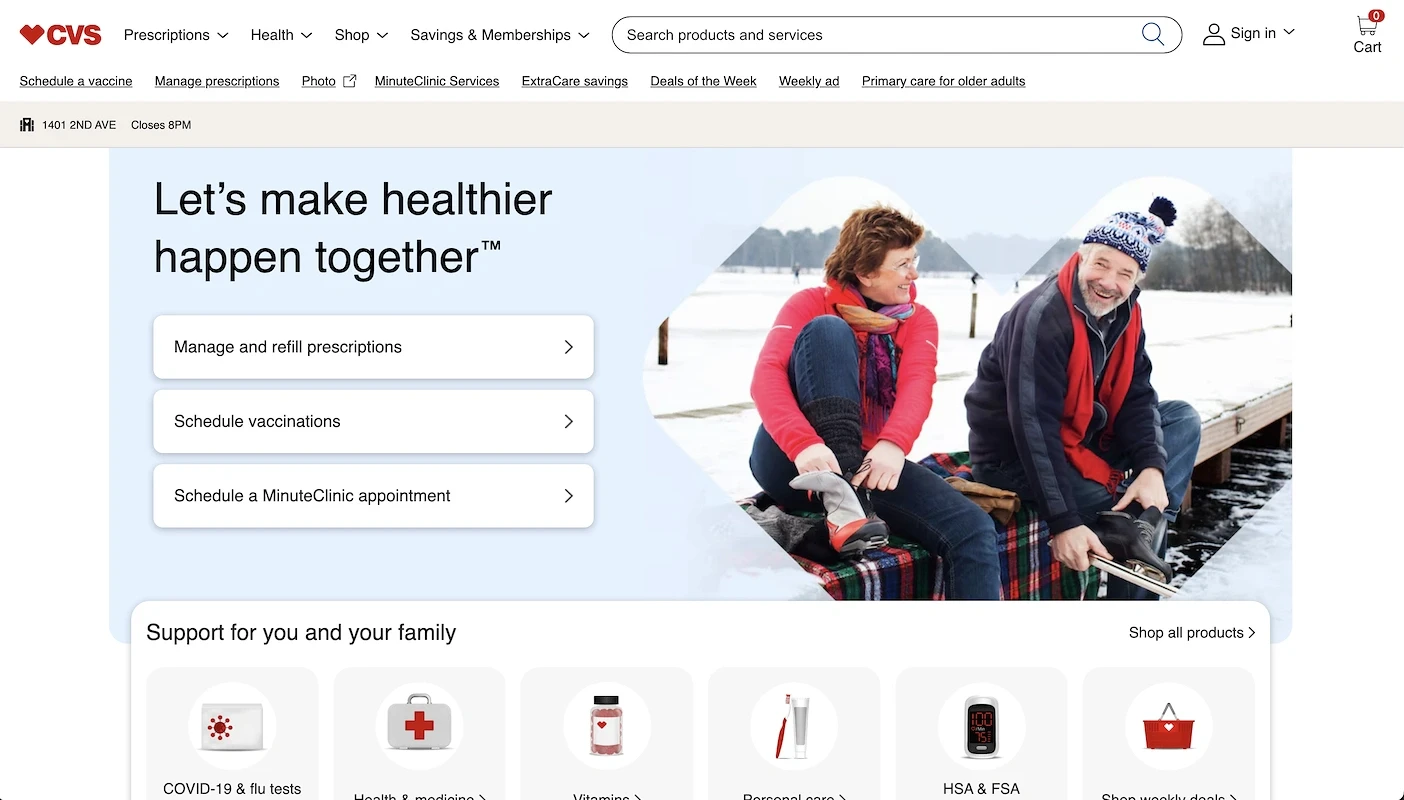
What Can You Buy With An EBT Card At CVS?
With your EBT card, you can purchase a wide variety of SNAP-eligible groceries at CVS. The store has expanded its food selection to include essentials for creating well-balanced meals.
Breads and cereals.
Dairy products like milk, cheese, and yogurt.
Fruits and vegetables, whether they are fresh, frozen, or canned.
Meat, poultry, and fish products.
Snacks and non-alcoholic beverages.
CVS also stocks a unique selection of items you might not find at a typical grocery store. This includes an expanded frozen food section with over 100 options from brands like Beyond Meat and Amy's Kitchen.
You will also find a large assortment of "better-for-you" snacks. Look for niche brands like LesserEvil, SkinnyDipped, and Soley, which offer items like organic popcorn and fruit jerky.
While all stores must follow the same SNAP rules for what is eligible, the specific product selection can vary. Some locations have a refreshed assortment with more food options than others.
Why Isn’t EBT Accepted at More CVS Locations?
While the vast majority of CVS stores welcome EBT payments, you might find that some locations are not yet equipped to process them. The primary reason often comes down to logistical hurdles. Each store must have its Point-of-Sale (POS) system specifically configured to handle EBT transactions, which can be a complex process for individual locations to implement and maintain.
To accept SNAP, a store's payment system needs to be programmed with a USDA Food and Nutrition Service (FNS) account number. This setup allows the register to correctly identify eligible food items and process the payment from your SNAP account. These technical requirements can sometimes delay or prevent certain stores from offering EBT payment options.
Check Your EBT Balance and Get Cash Back on SNAP Buys
Download the app

Special Discount Programs for EBT Cardholders
CVS does not offer special discount programs exclusively for EBT cardholders. However, you can still find significant savings on eligible food items by using the store's general loyalty programs and other savings opportunities available to all shoppers.
You can stretch your SNAP benefits further by taking advantage of several savings strategies at CVS. These tips can be combined with your EBT card for discounts on eligible food items.
Join the free ExtraCare program. This loyalty program is free to join and lets you earn 2% back in ExtraBucks Rewards on qualifying purchases. You can use these rewards alongside your EBT payments.
Use the Coupon Center. Before you shop, scan your ExtraCare card at the in-store Coupon Center. You will receive coupons that you can apply to your purchases on the same day for extra savings.
Stack multiple savings. CVS allows you to combine manufacturer coupons, store coupons, and ExtraBucks Rewards on eligible items. Stacking different types of savings is a great way to maximize your discounts.
Shop sales and weekly ads. Look through the weekly circular for promotions and discounts on food items. While not EBT-specific, these sales can help you save on many SNAP-eligible products.
Focus on seasonal shopping. Opt for fruits and vegetables that are in season, as they are often fresher and more affordable. Many CVS locations carry fresh produce that offers better value when bought seasonally.
Use the CVS App. Download the CVS app for access to mobile-exclusive deals and coupons. ExtraCare members who use the app can find additional savings and track their rewards easily.
Track Your Real-Time EBT Balance and Earn Cash Back on SNAP
Benny is a free app that helps you track your SNAP and EBT Cash balance in real time. You can also earn 1-3% cash back on your SNAP purchases at many stores, including CVS, Target, Walmart, Kroger, and 7-Eleven.
To get started, simply link your EBT card to the Benny app. After you make a purchase, scan your receipt with the app and receive cash back on SNAP-eligible items on the same day.
Download Benny to take control of your spending and get more out of your EBT benefits.
Frequently Asked Questions
SHARE
Yes, most CVS Pharmacy locations accept EBT card payments for in-store purchases of SNAP-eligible items. While you cannot use EBT directly on the CVS website, you can order groceries for delivery through partners like DoorDash and Uber Eats using your SNAP benefits.
How To Use Your EBT Card At CVS
You can use your SNAP EBT card at most CVS stores for eligible food items at both regular and self-checkout lanes. While CVS aims for nationwide acceptance, it is a good idea to call your local store to confirm. Note that CVS only accepts SNAP benefits, not cash EBT (TANF).
For online shopping, CVS has partnered with DoorDash and Uber Eats. You can add your EBT card to these apps and shop for thousands of SNAP-eligible products from participating CVS stores for delivery. You may also find CVS available through Instacart in your area.
To find a participating store, you can use the official CVS store locator. Individual store pages often note EBT acceptance, but a quick phone call is the best way to verify before you go.
How To Pay With EBT At CVS
Paying with your EBT card at CVS is straightforward, especially if you have a mix of eligible and non-eligible items. The process works like using a debit card, but you will need to separate your purchases.
Separate your groceries at checkout. Group all SNAP-eligible food items together and keep non-food items, like vitamins or medications, separate.
Pay for the SNAP-approved items first by swiping your EBT card and entering your PIN.
After the EBT transaction is complete, you will need to pay for the remaining non-eligible items using another form of payment, such as a debit card, credit card, or cash.
What Can You Buy With An EBT Card At CVS?
With your EBT card, you can purchase a wide variety of SNAP-eligible groceries at CVS. The store has expanded its food selection to include essentials for creating well-balanced meals.
Breads and cereals.
Dairy products like milk, cheese, and yogurt.
Fruits and vegetables, whether they are fresh, frozen, or canned.
Meat, poultry, and fish products.
Snacks and non-alcoholic beverages.
CVS also stocks a unique selection of items you might not find at a typical grocery store. This includes an expanded frozen food section with over 100 options from brands like Beyond Meat and Amy's Kitchen.
You will also find a large assortment of "better-for-you" snacks. Look for niche brands like LesserEvil, SkinnyDipped, and Soley, which offer items like organic popcorn and fruit jerky.
While all stores must follow the same SNAP rules for what is eligible, the specific product selection can vary. Some locations have a refreshed assortment with more food options than others.
Why Isn’t EBT Accepted at More CVS Locations?
While the vast majority of CVS stores welcome EBT payments, you might find that some locations are not yet equipped to process them. The primary reason often comes down to logistical hurdles. Each store must have its Point-of-Sale (POS) system specifically configured to handle EBT transactions, which can be a complex process for individual locations to implement and maintain.
To accept SNAP, a store's payment system needs to be programmed with a USDA Food and Nutrition Service (FNS) account number. This setup allows the register to correctly identify eligible food items and process the payment from your SNAP account. These technical requirements can sometimes delay or prevent certain stores from offering EBT payment options.
Check Your EBT Balance and Get Cash Back on SNAP Buys
Download the app
Special Discount Programs for EBT Cardholders
CVS does not offer special discount programs exclusively for EBT cardholders. However, you can still find significant savings on eligible food items by using the store's general loyalty programs and other savings opportunities available to all shoppers.
You can stretch your SNAP benefits further by taking advantage of several savings strategies at CVS. These tips can be combined with your EBT card for discounts on eligible food items.
Join the free ExtraCare program. This loyalty program is free to join and lets you earn 2% back in ExtraBucks Rewards on qualifying purchases. You can use these rewards alongside your EBT payments.
Use the Coupon Center. Before you shop, scan your ExtraCare card at the in-store Coupon Center. You will receive coupons that you can apply to your purchases on the same day for extra savings.
Stack multiple savings. CVS allows you to combine manufacturer coupons, store coupons, and ExtraBucks Rewards on eligible items. Stacking different types of savings is a great way to maximize your discounts.
Shop sales and weekly ads. Look through the weekly circular for promotions and discounts on food items. While not EBT-specific, these sales can help you save on many SNAP-eligible products.
Focus on seasonal shopping. Opt for fruits and vegetables that are in season, as they are often fresher and more affordable. Many CVS locations carry fresh produce that offers better value when bought seasonally.
Use the CVS App. Download the CVS app for access to mobile-exclusive deals and coupons. ExtraCare members who use the app can find additional savings and track their rewards easily.
Track Your Real-Time EBT Balance and Earn Cash Back on SNAP
Benny is a free app that helps you track your SNAP and EBT Cash balance in real time. You can also earn 1-3% cash back on your SNAP purchases at many stores, including CVS, Target, Walmart, Kroger, and 7-Eleven.
To get started, simply link your EBT card to the Benny app. After you make a purchase, scan your receipt with the app and receive cash back on SNAP-eligible items on the same day.
Download Benny to take control of your spending and get more out of your EBT benefits.
Frequently Asked Questions
SHARE
Yes, most CVS Pharmacy locations accept EBT card payments for in-store purchases of SNAP-eligible items. While you cannot use EBT directly on the CVS website, you can order groceries for delivery through partners like DoorDash and Uber Eats using your SNAP benefits.
How To Use Your EBT Card At CVS
You can use your SNAP EBT card at most CVS stores for eligible food items at both regular and self-checkout lanes. While CVS aims for nationwide acceptance, it is a good idea to call your local store to confirm. Note that CVS only accepts SNAP benefits, not cash EBT (TANF).
For online shopping, CVS has partnered with DoorDash and Uber Eats. You can add your EBT card to these apps and shop for thousands of SNAP-eligible products from participating CVS stores for delivery. You may also find CVS available through Instacart in your area.
To find a participating store, you can use the official CVS store locator. Individual store pages often note EBT acceptance, but a quick phone call is the best way to verify before you go.
How To Pay With EBT At CVS
Paying with your EBT card at CVS is straightforward, especially if you have a mix of eligible and non-eligible items. The process works like using a debit card, but you will need to separate your purchases.
Separate your groceries at checkout. Group all SNAP-eligible food items together and keep non-food items, like vitamins or medications, separate.
Pay for the SNAP-approved items first by swiping your EBT card and entering your PIN.
After the EBT transaction is complete, you will need to pay for the remaining non-eligible items using another form of payment, such as a debit card, credit card, or cash.
What Can You Buy With An EBT Card At CVS?
With your EBT card, you can purchase a wide variety of SNAP-eligible groceries at CVS. The store has expanded its food selection to include essentials for creating well-balanced meals.
Breads and cereals.
Dairy products like milk, cheese, and yogurt.
Fruits and vegetables, whether they are fresh, frozen, or canned.
Meat, poultry, and fish products.
Snacks and non-alcoholic beverages.
CVS also stocks a unique selection of items you might not find at a typical grocery store. This includes an expanded frozen food section with over 100 options from brands like Beyond Meat and Amy's Kitchen.
You will also find a large assortment of "better-for-you" snacks. Look for niche brands like LesserEvil, SkinnyDipped, and Soley, which offer items like organic popcorn and fruit jerky.
While all stores must follow the same SNAP rules for what is eligible, the specific product selection can vary. Some locations have a refreshed assortment with more food options than others.
Why Isn’t EBT Accepted at More CVS Locations?
While the vast majority of CVS stores welcome EBT payments, you might find that some locations are not yet equipped to process them. The primary reason often comes down to logistical hurdles. Each store must have its Point-of-Sale (POS) system specifically configured to handle EBT transactions, which can be a complex process for individual locations to implement and maintain.
To accept SNAP, a store's payment system needs to be programmed with a USDA Food and Nutrition Service (FNS) account number. This setup allows the register to correctly identify eligible food items and process the payment from your SNAP account. These technical requirements can sometimes delay or prevent certain stores from offering EBT payment options.
Check Your EBT Balance and Get Cash Back on SNAP Buys
Download the app
Special Discount Programs for EBT Cardholders
CVS does not offer special discount programs exclusively for EBT cardholders. However, you can still find significant savings on eligible food items by using the store's general loyalty programs and other savings opportunities available to all shoppers.
You can stretch your SNAP benefits further by taking advantage of several savings strategies at CVS. These tips can be combined with your EBT card for discounts on eligible food items.
Join the free ExtraCare program. This loyalty program is free to join and lets you earn 2% back in ExtraBucks Rewards on qualifying purchases. You can use these rewards alongside your EBT payments.
Use the Coupon Center. Before you shop, scan your ExtraCare card at the in-store Coupon Center. You will receive coupons that you can apply to your purchases on the same day for extra savings.
Stack multiple savings. CVS allows you to combine manufacturer coupons, store coupons, and ExtraBucks Rewards on eligible items. Stacking different types of savings is a great way to maximize your discounts.
Shop sales and weekly ads. Look through the weekly circular for promotions and discounts on food items. While not EBT-specific, these sales can help you save on many SNAP-eligible products.
Focus on seasonal shopping. Opt for fruits and vegetables that are in season, as they are often fresher and more affordable. Many CVS locations carry fresh produce that offers better value when bought seasonally.
Use the CVS App. Download the CVS app for access to mobile-exclusive deals and coupons. ExtraCare members who use the app can find additional savings and track their rewards easily.
Track Your Real-Time EBT Balance and Earn Cash Back on SNAP
Benny is a free app that helps you track your SNAP and EBT Cash balance in real time. You can also earn 1-3% cash back on your SNAP purchases at many stores, including CVS, Target, Walmart, Kroger, and 7-Eleven.
To get started, simply link your EBT card to the Benny app. After you make a purchase, scan your receipt with the app and receive cash back on SNAP-eligible items on the same day.
Download Benny to take control of your spending and get more out of your EBT benefits.
Frequently Asked Questions
SHARE
Yes, most CVS Pharmacy locations accept EBT card payments for in-store purchases of SNAP-eligible items. While you cannot use EBT directly on the CVS website, you can order groceries for delivery through partners like DoorDash and Uber Eats using your SNAP benefits.
How To Use Your EBT Card At CVS
You can use your SNAP EBT card at most CVS stores for eligible food items at both regular and self-checkout lanes. While CVS aims for nationwide acceptance, it is a good idea to call your local store to confirm. Note that CVS only accepts SNAP benefits, not cash EBT (TANF).
For online shopping, CVS has partnered with DoorDash and Uber Eats. You can add your EBT card to these apps and shop for thousands of SNAP-eligible products from participating CVS stores for delivery. You may also find CVS available through Instacart in your area.
To find a participating store, you can use the official CVS store locator. Individual store pages often note EBT acceptance, but a quick phone call is the best way to verify before you go.
How To Pay With EBT At CVS
Paying with your EBT card at CVS is straightforward, especially if you have a mix of eligible and non-eligible items. The process works like using a debit card, but you will need to separate your purchases.
Separate your groceries at checkout. Group all SNAP-eligible food items together and keep non-food items, like vitamins or medications, separate.
Pay for the SNAP-approved items first by swiping your EBT card and entering your PIN.
After the EBT transaction is complete, you will need to pay for the remaining non-eligible items using another form of payment, such as a debit card, credit card, or cash.
What Can You Buy With An EBT Card At CVS?
With your EBT card, you can purchase a wide variety of SNAP-eligible groceries at CVS. The store has expanded its food selection to include essentials for creating well-balanced meals.
Breads and cereals.
Dairy products like milk, cheese, and yogurt.
Fruits and vegetables, whether they are fresh, frozen, or canned.
Meat, poultry, and fish products.
Snacks and non-alcoholic beverages.
CVS also stocks a unique selection of items you might not find at a typical grocery store. This includes an expanded frozen food section with over 100 options from brands like Beyond Meat and Amy's Kitchen.
You will also find a large assortment of "better-for-you" snacks. Look for niche brands like LesserEvil, SkinnyDipped, and Soley, which offer items like organic popcorn and fruit jerky.
While all stores must follow the same SNAP rules for what is eligible, the specific product selection can vary. Some locations have a refreshed assortment with more food options than others.
Why Isn’t EBT Accepted at More CVS Locations?
While the vast majority of CVS stores welcome EBT payments, you might find that some locations are not yet equipped to process them. The primary reason often comes down to logistical hurdles. Each store must have its Point-of-Sale (POS) system specifically configured to handle EBT transactions, which can be a complex process for individual locations to implement and maintain.
To accept SNAP, a store's payment system needs to be programmed with a USDA Food and Nutrition Service (FNS) account number. This setup allows the register to correctly identify eligible food items and process the payment from your SNAP account. These technical requirements can sometimes delay or prevent certain stores from offering EBT payment options.
Check Your EBT Balance and Get Cash Back on SNAP Buys
Download the app
Special Discount Programs for EBT Cardholders
CVS does not offer special discount programs exclusively for EBT cardholders. However, you can still find significant savings on eligible food items by using the store's general loyalty programs and other savings opportunities available to all shoppers.
You can stretch your SNAP benefits further by taking advantage of several savings strategies at CVS. These tips can be combined with your EBT card for discounts on eligible food items.
Join the free ExtraCare program. This loyalty program is free to join and lets you earn 2% back in ExtraBucks Rewards on qualifying purchases. You can use these rewards alongside your EBT payments.
Use the Coupon Center. Before you shop, scan your ExtraCare card at the in-store Coupon Center. You will receive coupons that you can apply to your purchases on the same day for extra savings.
Stack multiple savings. CVS allows you to combine manufacturer coupons, store coupons, and ExtraBucks Rewards on eligible items. Stacking different types of savings is a great way to maximize your discounts.
Shop sales and weekly ads. Look through the weekly circular for promotions and discounts on food items. While not EBT-specific, these sales can help you save on many SNAP-eligible products.
Focus on seasonal shopping. Opt for fruits and vegetables that are in season, as they are often fresher and more affordable. Many CVS locations carry fresh produce that offers better value when bought seasonally.
Use the CVS App. Download the CVS app for access to mobile-exclusive deals and coupons. ExtraCare members who use the app can find additional savings and track their rewards easily.
Track Your Real-Time EBT Balance and Earn Cash Back on SNAP
Benny is a free app that helps you track your SNAP and EBT Cash balance in real time. You can also earn 1-3% cash back on your SNAP purchases at many stores, including CVS, Target, Walmart, Kroger, and 7-Eleven.
To get started, simply link your EBT card to the Benny app. After you make a purchase, scan your receipt with the app and receive cash back on SNAP-eligible items on the same day.
Download Benny to take control of your spending and get more out of your EBT benefits.
