Best Money-Saving Apps in 2026: Automate Your Savings and Earn Cash Back
Discover the best money-saving apps to earn cash back, automate savings, and reach your financial goals. Download the Benny app to start saving.

Best Money-Saving Apps in 2026: Automate Your Savings and Earn Cash Back
Discover the best money-saving apps to earn cash back, automate savings, and reach your financial goals. Download the Benny app to start saving.
Best Money-Saving Apps in 2026: Automate Your Savings and Earn Cash Back
Discover the best money-saving apps to earn cash back, automate savings, and reach your financial goals. Download the Benny app to start saving.
SHARE


ON THIS PAGE
The best money-saving apps turn building savings into something almost effortless. Instead of relying on willpower, these apps work in the background: earning cash back on groceries, rounding up purchases, and moving spare change into savings accounts.
Many Americans struggle to save consistently. Between rising costs and competing financial priorities, setting aside money feels impossible. That's where apps to help you save money make a difference. They automate the entire process, so saving becomes a habit rather than a chore.
Money-saving apps fall into several categories: cash back apps that reward everyday purchases, automated savings tools that transfer funds on autopilot, budgeting apps that track spending habits, and investment accounts that grow net worth over time.
This guide reviews the best savings apps for 2026, comparing what each costs and which financial goals they serve best. Whether you need an app for saving money on groceries or want to build long-term wealth, you'll find the right tool here.
What Are Money Saving Apps and How Do They Work?
How the Best Savings Apps Help Users Save
The most effective money-saving apps remove friction from savings decisions by automating the process. Instead of relying on willpower or remembering to transfer money, these apps work quietly in the background to help you save money.
Cash back apps reward everyday purchases at grocery stores and gas stations. Apps like Benny earn users 1-3% back on groceries, turning regular shopping trips into savings opportunities. These are among the best money-saving apps for anyone who wants immediate returns on spending they're already doing.
Apps for money saving through automated transfers analyze your bank account and move safe amounts to savings. These saving apps learn your spending habits and income patterns, then transfer small amounts you won't miss. They're ideal for building an emergency fund on autopilot.
Budgeting apps track spending across credit cards, debit card purchases, and checking account activity. They categorize transactions automatically, showing exactly where money goes each month. This visibility helps users identify areas to cut back and reach financial goals faster.
Investment apps turn spare change into long-term wealth. Using round-up features, these apps invest the difference when purchases round to the nearest dollar. Over time, those small amounts grow into a diversified investment portfolio that builds net worth.
Why Automatic Savings Works
Making savings automatic dramatically increases success rates by removing decision fatigue from the equation. When every dollar requires an active choice, willpower eventually fails. Automated savings eliminates that friction entirely.
The numbers prove the power of small amounts. Saving just $5 per day through round-ups equals over $1,800 per year. A $3 coffee rounded up to $4 means $1 saved. Do that twice a day across various purchases, and spare change becomes real money without any conscious effort.
Autosave features work especially well for building an emergency fund. Most financial experts recommend 3-6 months of expenses saved, but that goal feels overwhelming. When apps to help you save money transfer $50 here and $25 there automatically, those savings goals become achievable. The autopilot approach turns saving from an impossible task into an invisible habit that builds financial security over time.
Best Money Saving Apps for 2026
Here's how the top money-saving apps compare at a glance with a detailed breakdown below.
App | Best For | Cost | Key Benefit |
Benny | Grocery and gas cash back | Free | 1–3% cash back; works with SNAP/EBT |
Acorns | Investing spare change | $3–$12/month | Automatic round-ups invested into portfolios |
Rocket Money | Subscription management | Free; $6–$12/month premium | Finds and cancels forgotten subscriptions |
Chime | Automated savings | Free | 10% autosave on direct deposits + round-ups |
Qapital | Goal-based savings | $6/month | Custom saving rules with visual goal tracking |
YNAB | Hands-on budgeting | $14.99/month or $109/year | Zero-based budgeting for full spending control |
Goodbudget | Envelope budgeting | Free; $10/month for Plus | Digital envelope method with no bank linking |
Oportun | Autopilot savings | $5/month | Algorithm auto-transfers safe amounts to savings |
Upside | Gas & grocery cash back | Free | 5–25¢/gallon on gas + grocery cash back |
1. Benny: Best Overall Money Saving App for Grocery Cash Back
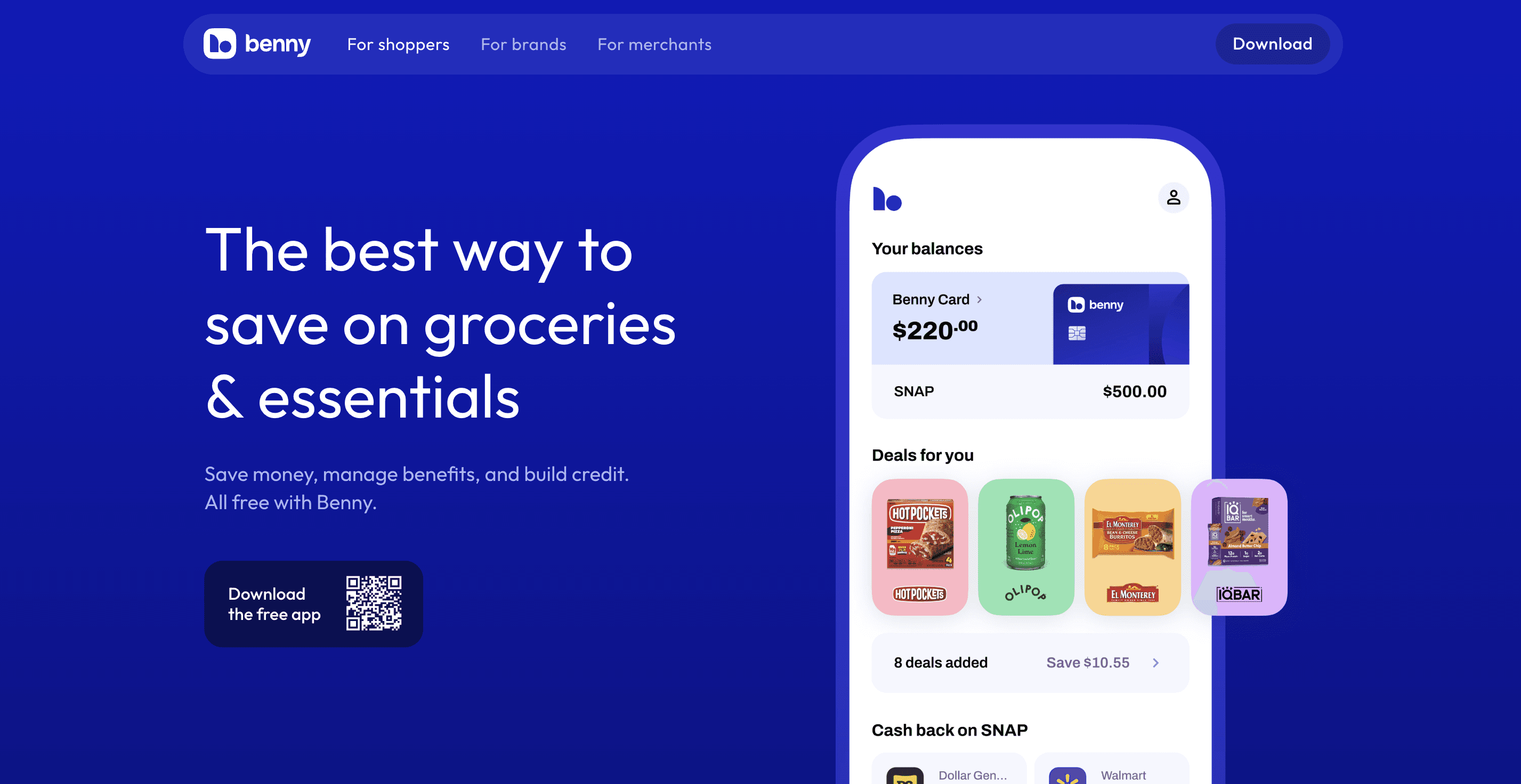
Benny stands out as the best money-saving app for anyone who buys groceries. The app is free and delivers immediate value through cash back on everyday purchases at stores like Walmart, Target, Kroger, Costco, Safeway, and Whole Foods.
Key features:
1% cash back with the Benny Visa debit card on groceries and gas.
1-3% cash back on SNAP/EBT purchases at participating retailers.
Real-time EBT balance tracking through the mobile app.
Credit-building features with no credit check required.
Digital food coupons from hundreds of brands, including Kraft Heinz, General Mills, Kellogg’s, and Chobani.
Pricing: Free
Best for: Grocery shoppers and SNAP/EBT recipients who want free cash back on everyday purchases.
Unlike most cash back apps that don’t work with government benefits, Benny serves both general shoppers and SNAP recipients. Benny is available for download on iOS and Android, with no subscription fees or hidden costs.
Download Benny to start earning immediate cash back on groceries without paying subscription fees.
2. Acorns: Best Money Saving App for Investing Spare Change
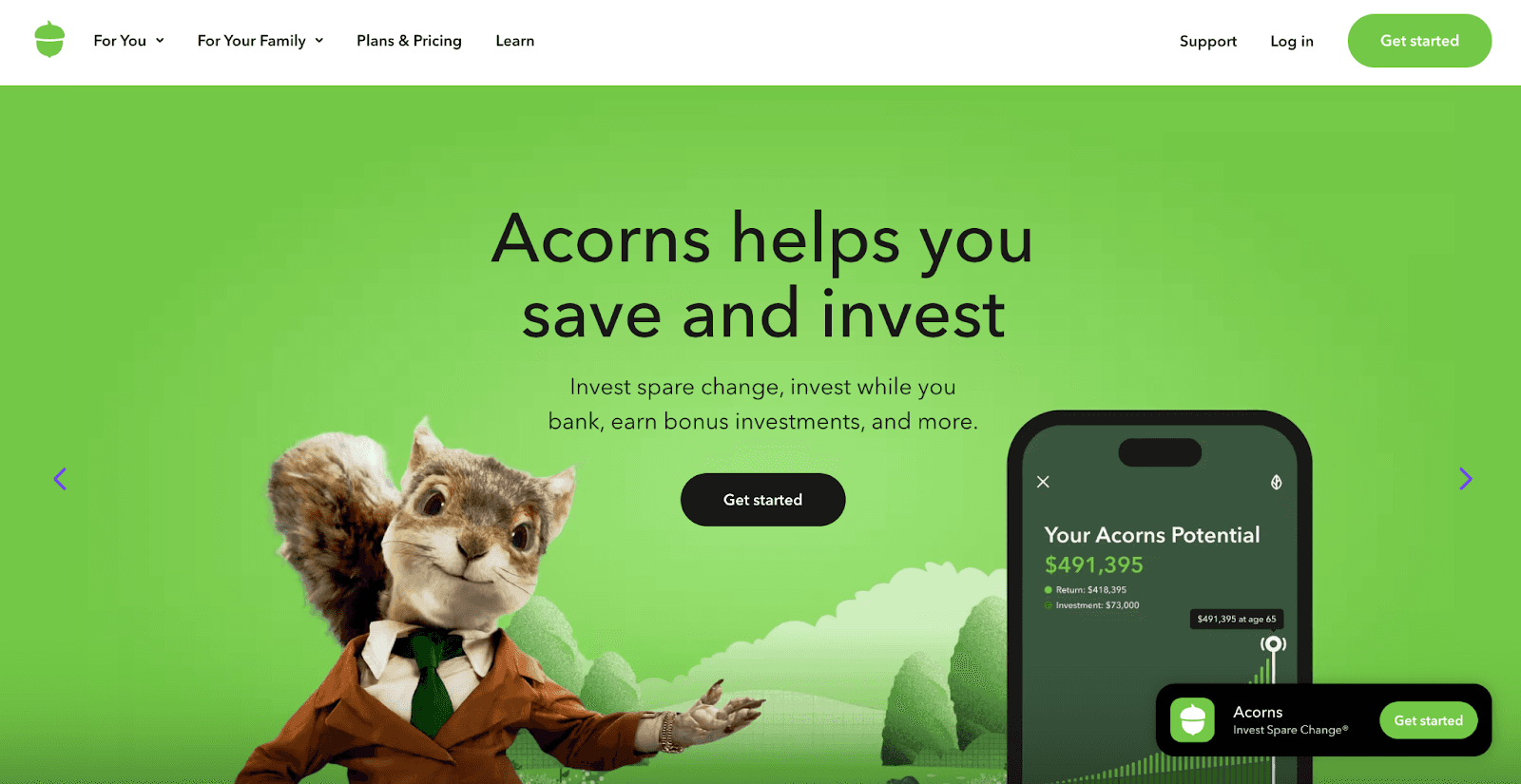
Acorns takes the round-up concept and turns spare change into investments. When users purchase with linked credit cards or a debit card, Acorns rounds to the nearest dollar and invests the difference into a diversified investment portfolio.
Key features:
Automatic round-ups from purchases.
Diversified investment accounts based on financial goals.
IRA options for retirement planning with contribution matching at higher tiers.
Mighty Oak debit card with high-yield savings account features.
FDIC insurance through partner banks.
Pricing:
Acorns offers three tiers: Bronze ($3/month), Silver ($6/month), and Gold ($12/month).
Higher tiers include IRA match benefits on contributions.
Best for: Beginner investors who want to grow their net worth through automated investing.
3. Rocket Money: Best Money Saving App for Subscription Management
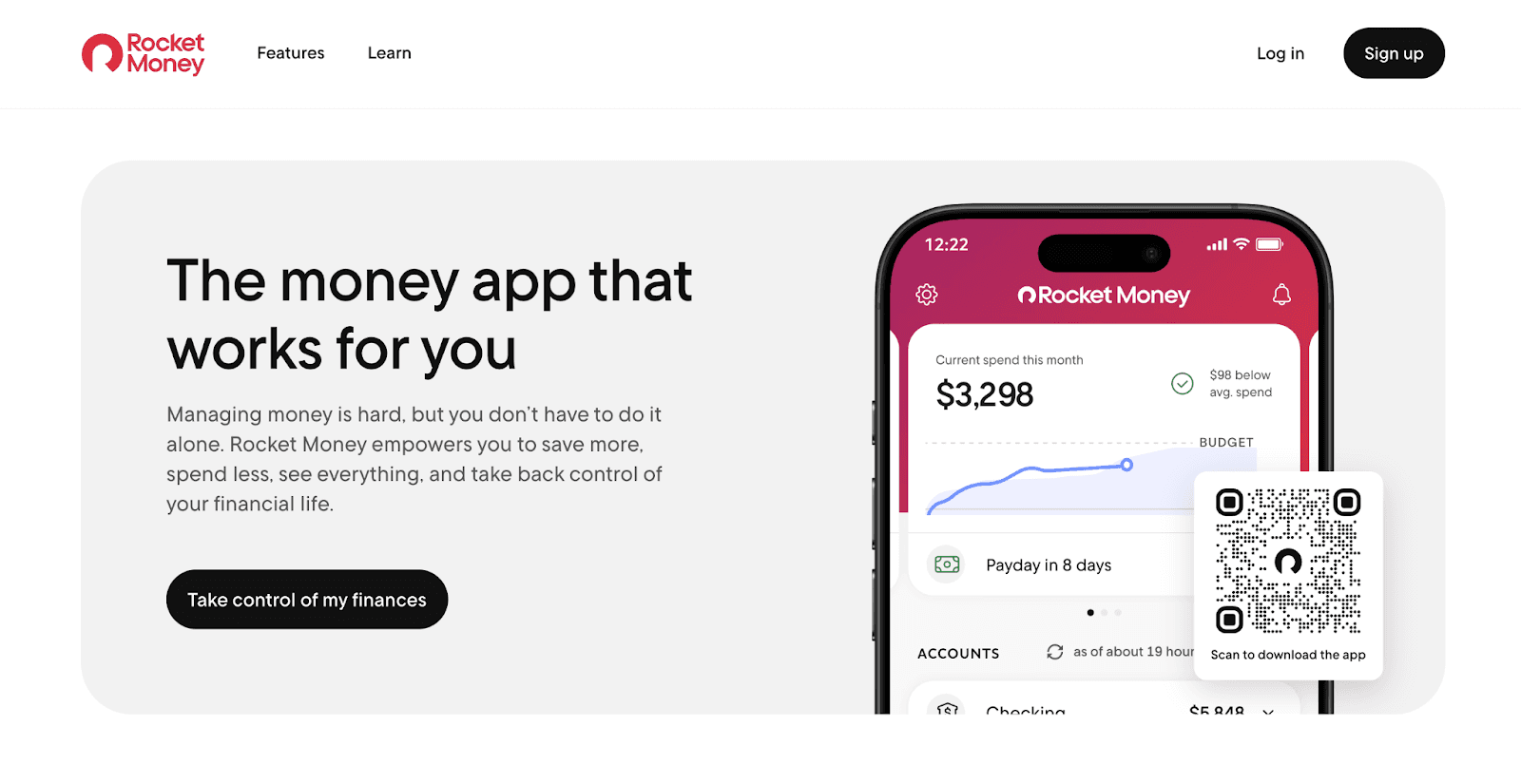
Rocket Money helps users find and cancel subscriptions they've forgotten about. The app connects to bank accounts and credit cards to identify recurring charges, then offers to cancel unwanted services or negotiate lower bills on the user's behalf.
Key features:
Automatic subscription detection across linked accounts.
Cancel unwanted subscriptions directly through the app.
Bill negotiation services on premium plans.
Basic budgeting tools included in the free version.
Pricing:
Free basic version for subscription tracking and budgeting.
Premium: $6–$12/month for bill negotiation services.
Best for: People wanting to eliminate subscription hassles and reduce spending on forgotten services.
4. Chime: Best Money Saving App for Automated Banking Savings
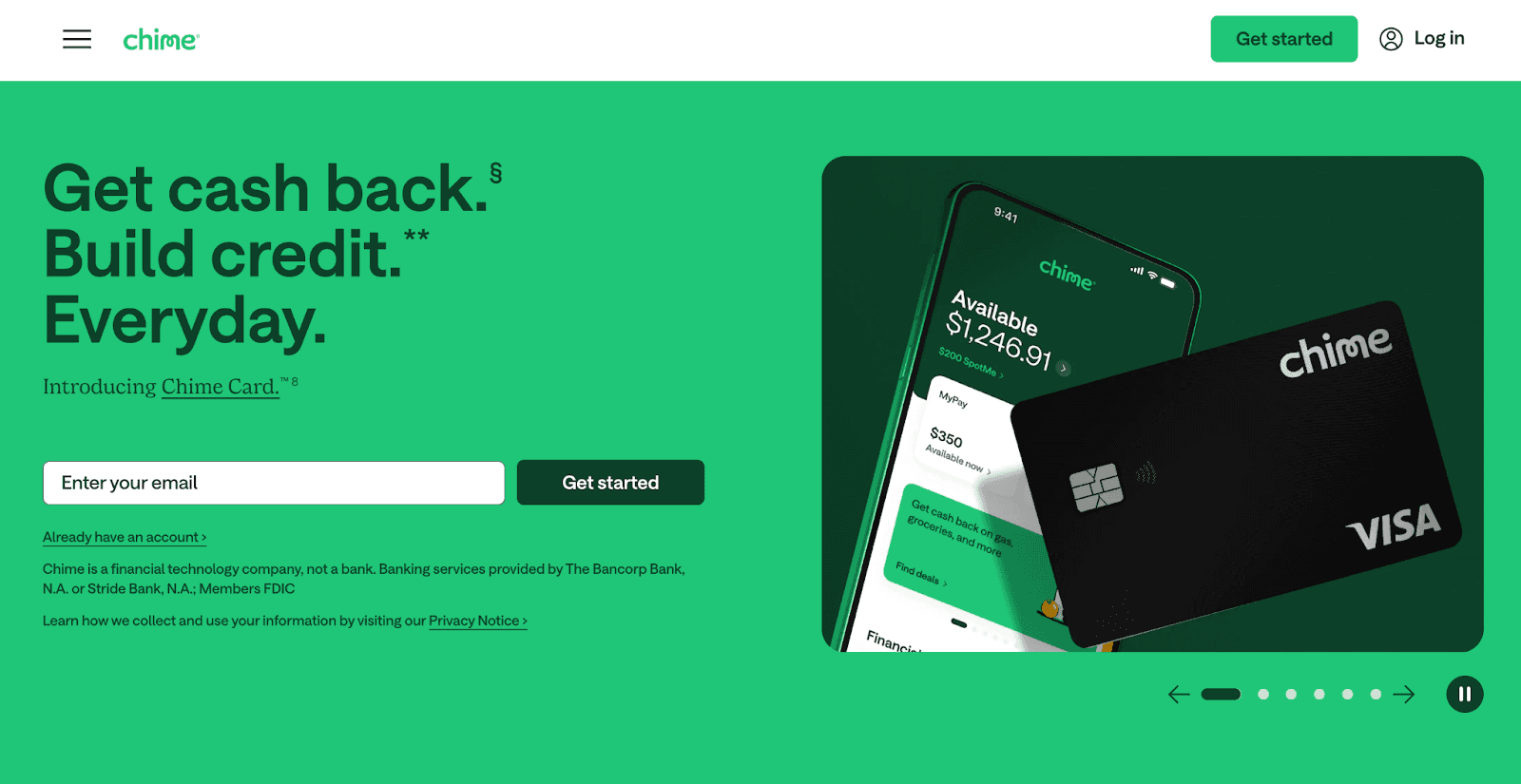
Chime combines a checking account with built-in savings features. The autosave feature transfers 10% of every direct deposit to savings, while round-ups save spare change from every debit card purchase. Both run in the background with no monthly fees, no overdraft fees, and early access to direct deposit paychecks up to 2 days before payday.
Key features:
Autosave transfers 10% of every direct deposit to savings.
Round-ups on every debit card purchase.
No monthly fees, overdraft fees, or minimum balance requirements.
Early direct deposit up to 2 days early.
FDIC insurance through partner banks.
Cost: Free.
Best for: People who want a free checking account with autopilot savings built in.
5. Qapital: Best Money Saving App for Goal-Based Savings
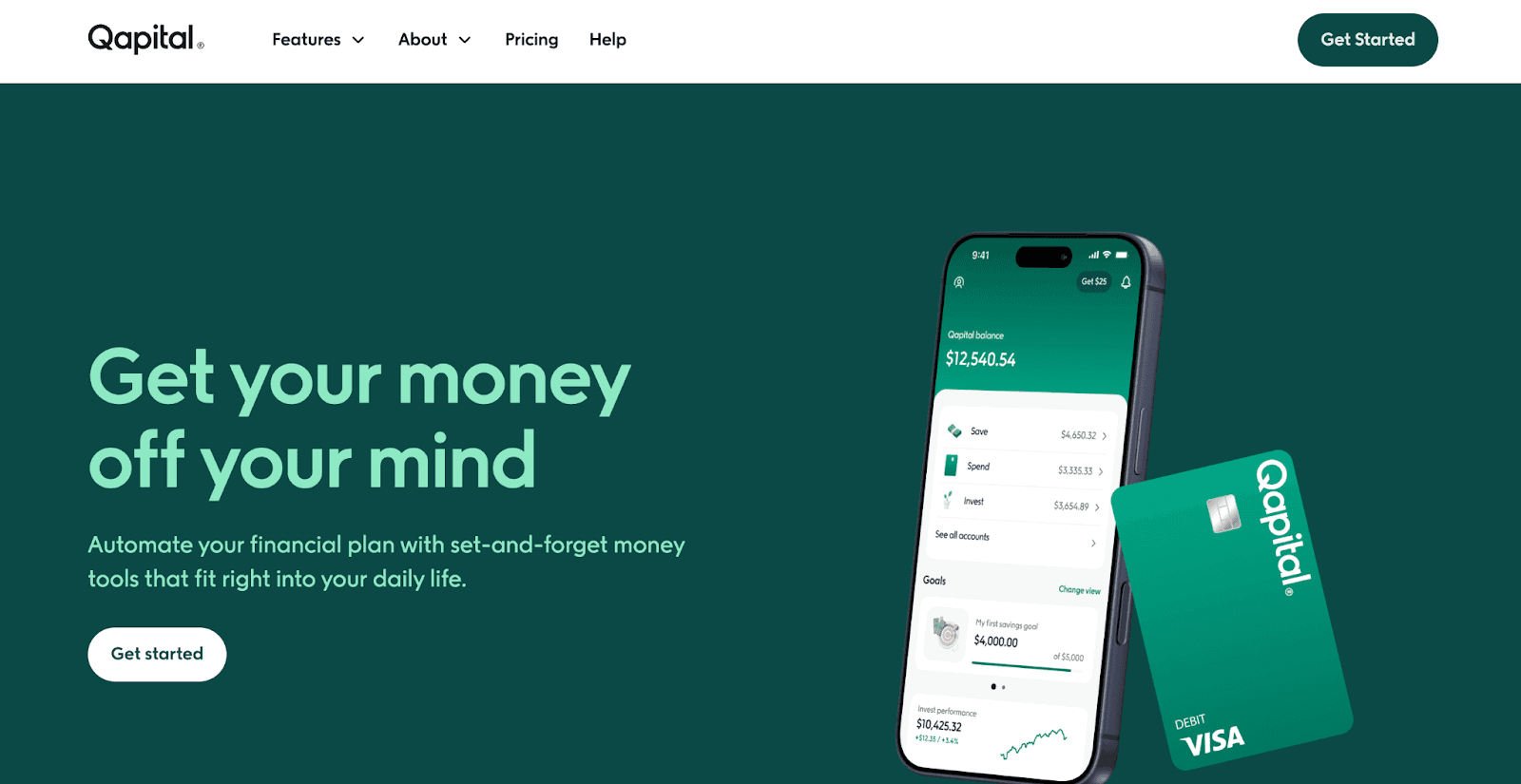
Qapital takes a visual, goal-oriented approach to saving. Users set goals with photos, then create rules that automate transfers, like saving $5 every coffee purchase, rounding up spare change, or transferring fixed amounts weekly. Multiple family members can share goals and contribute together.
Key features:
Visual goal tracking with photos and milestones.
Customizable saving rules (round-ups, guilty pleasure, set and forget, weather-based).
Family goal sharing.
FDIC insurance through partner banks.
Cost: $6/month after 30-day free trial.
Best for: Visual savers who want customizable rules and family sharing for goal-based savings.
6. YNAB (You Need a Budget): Best Money Saving App for Hands-On Budgeting
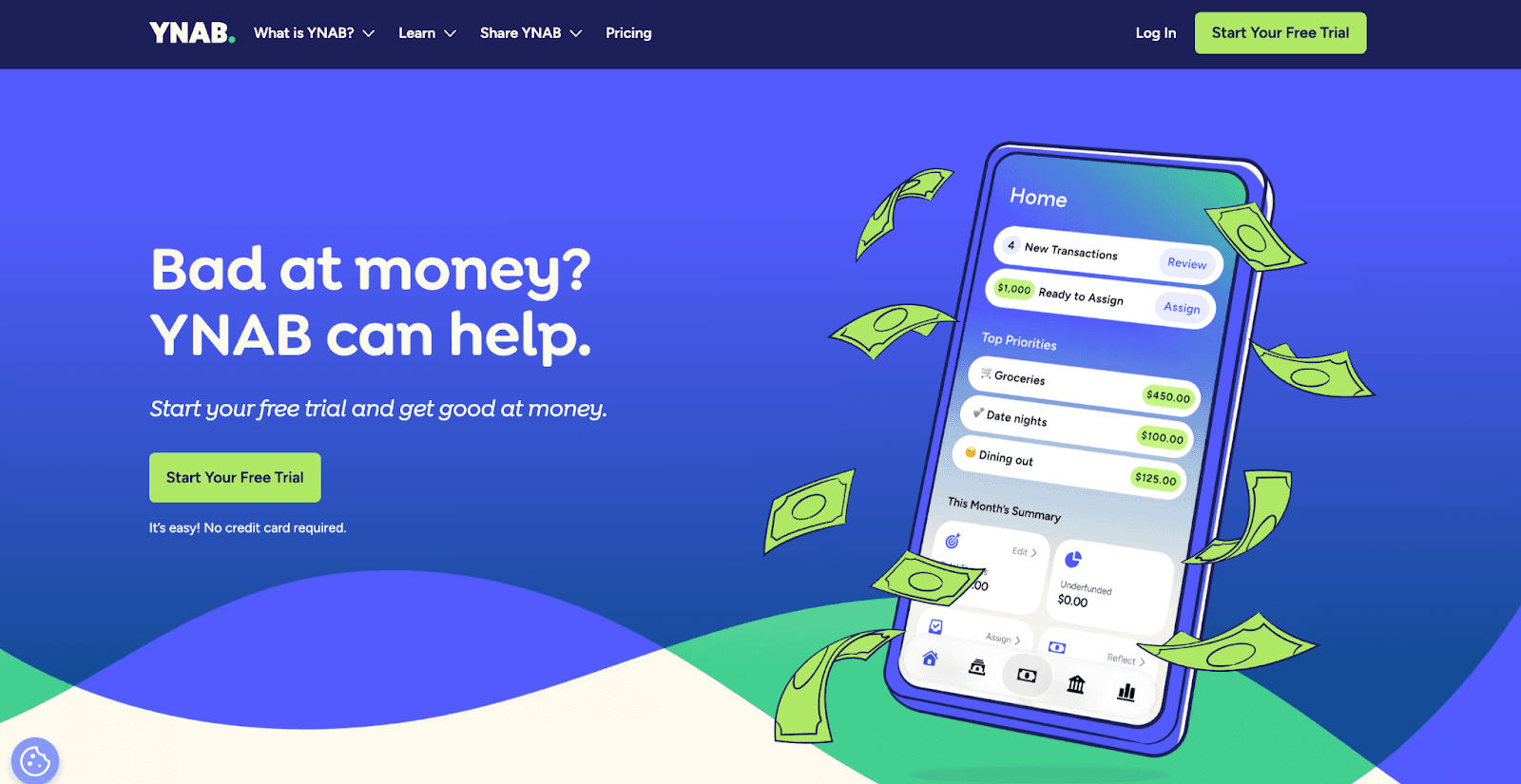
YNAB is built around the philosophy that every dollar should have a job. The zero-based budgeting approach assigns every dollar to a specific category before the month begins, forcing intentional spending decisions. Users report saving an average of $600 in their first month.
Key features:
Zero-based budgeting where every dollar gets assigned a job.
Automatic transaction imports from linked bank accounts.
Real-time syncing across all devices.
Built-in personal finance education with tutorials and workshops.
Cost: $14.99/month or $109/year after 34-day free trial.
Best for: Committed budgeters willing to actively manage every dollar for maximum spending control.
7. Goodbudget: Best Money Saving App for Envelope Budgeting
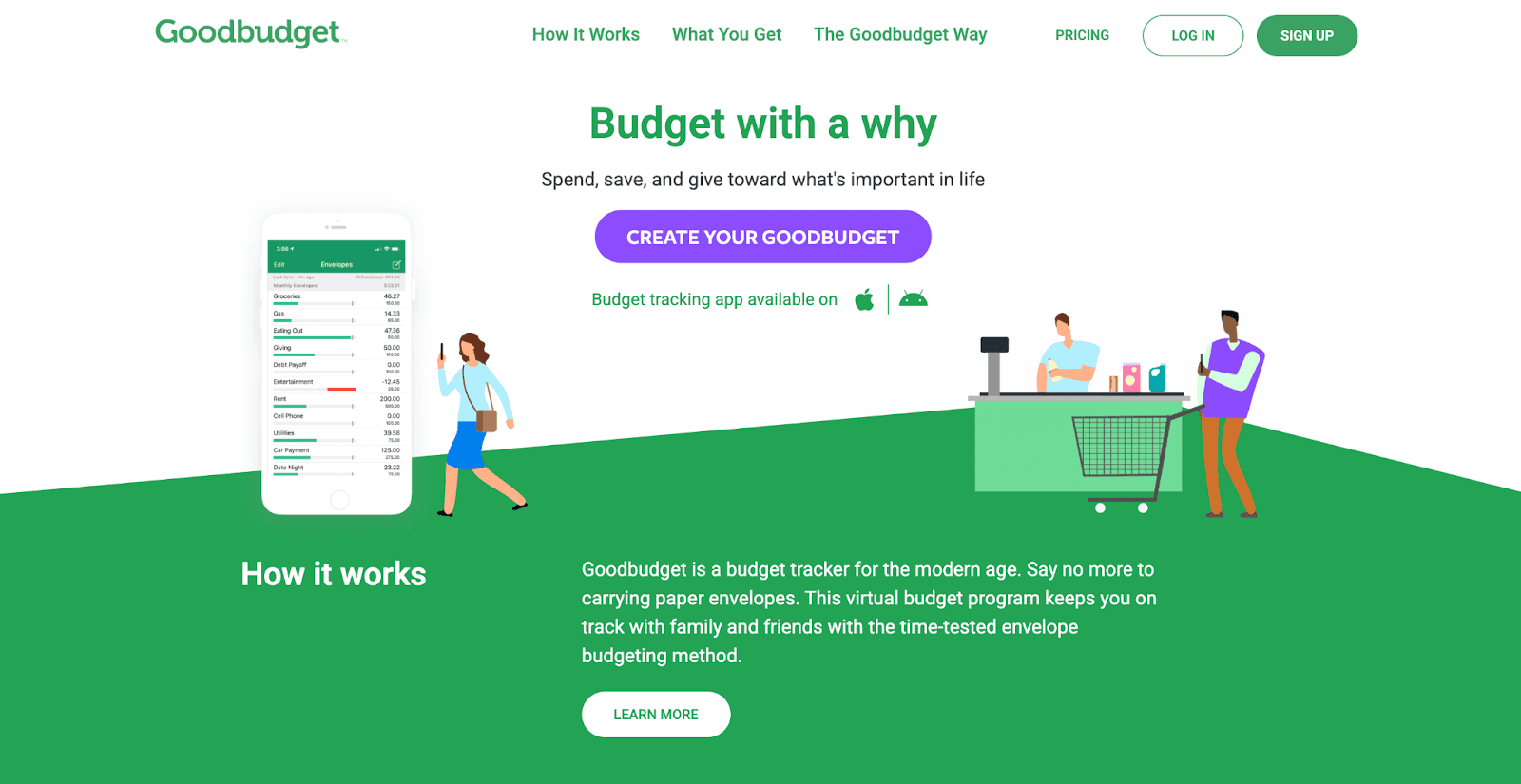
Goodbudget brings the classic envelope budgeting method into a mobile app. Users divide monthly income into virtual envelopes for rent, groceries, entertainment, and other categories. When an envelope runs empty, spending in that category stops. No bank account linking is required.
Key features:
Digital envelope budgeting method.
Manual transaction entry for full spending awareness.
Multi-device syncing for families or couples.
No bank account linking required.
Pricing:
Free: Up to 10 envelopes and one account.
Plus: $10/month for unlimited envelopes and accounts.
Best for: Hands-on budgeters who want envelope-style spending control without linking bank accounts.
8. Oportun (formerly Digit): Best Money Saving App for Autopilot Savings
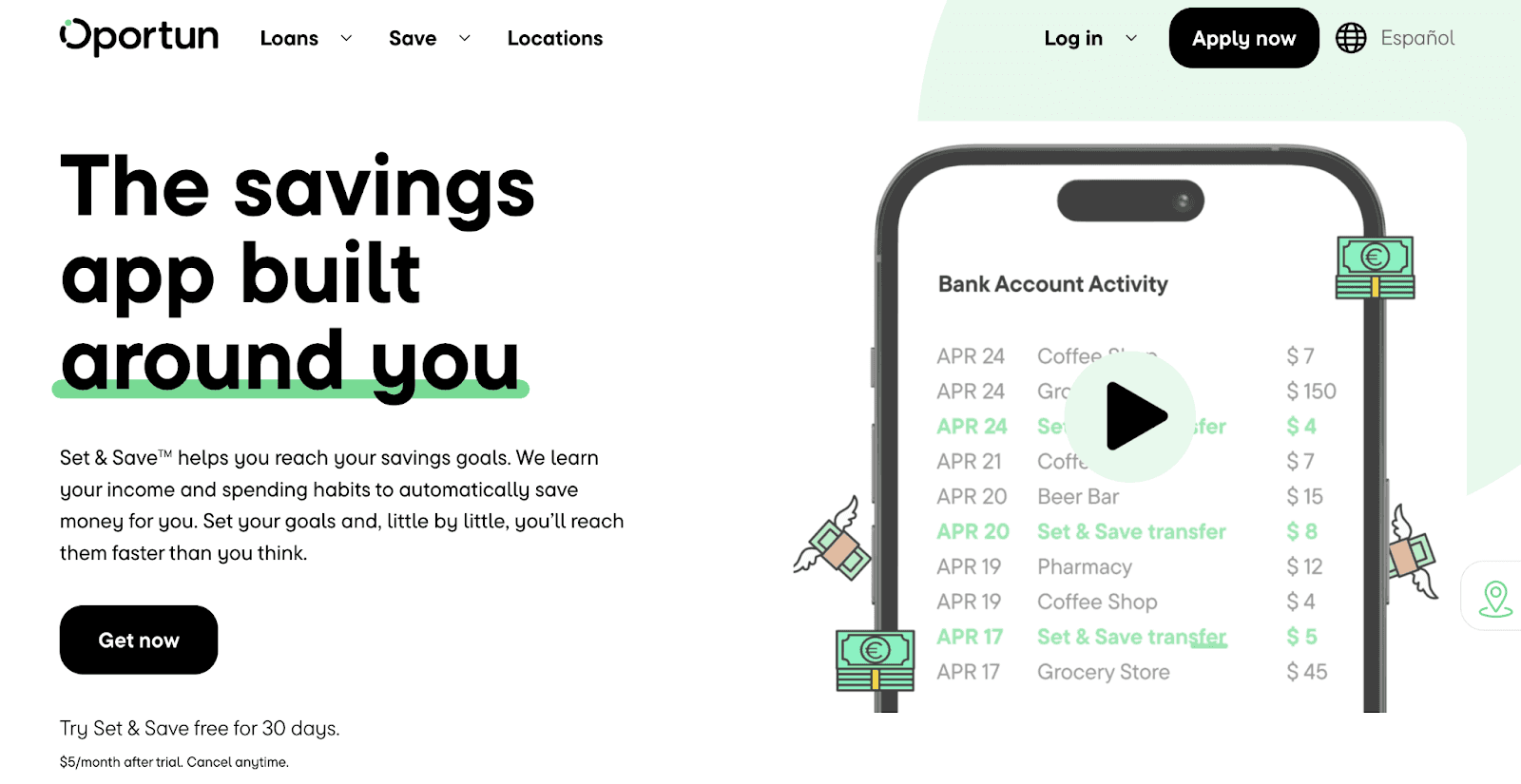
Oportun analyzes spending habits and income, then automatically transfers small, safe amounts to savings. The algorithm studies your bank account patterns and moves money, sometimes $5, sometimes $20, every 2–3 days whenever it's safe, adjusting based on upcoming bills.
Key features:
Algorithm analyzes spending and auto-transfers safe amounts.
Transfers every 2–3 days, adjusted for upcoming bills.
Overdraft reimbursement up to $250.
Savings goal setting with optimized transfers.
FDIC insurance through partner banks.
Cost: $5/month after 30-day free trial.
Best for: People who want completely automated savings without any manual input.
9. Upside: Best Money Saving App for Gas and Grocery Cash Back
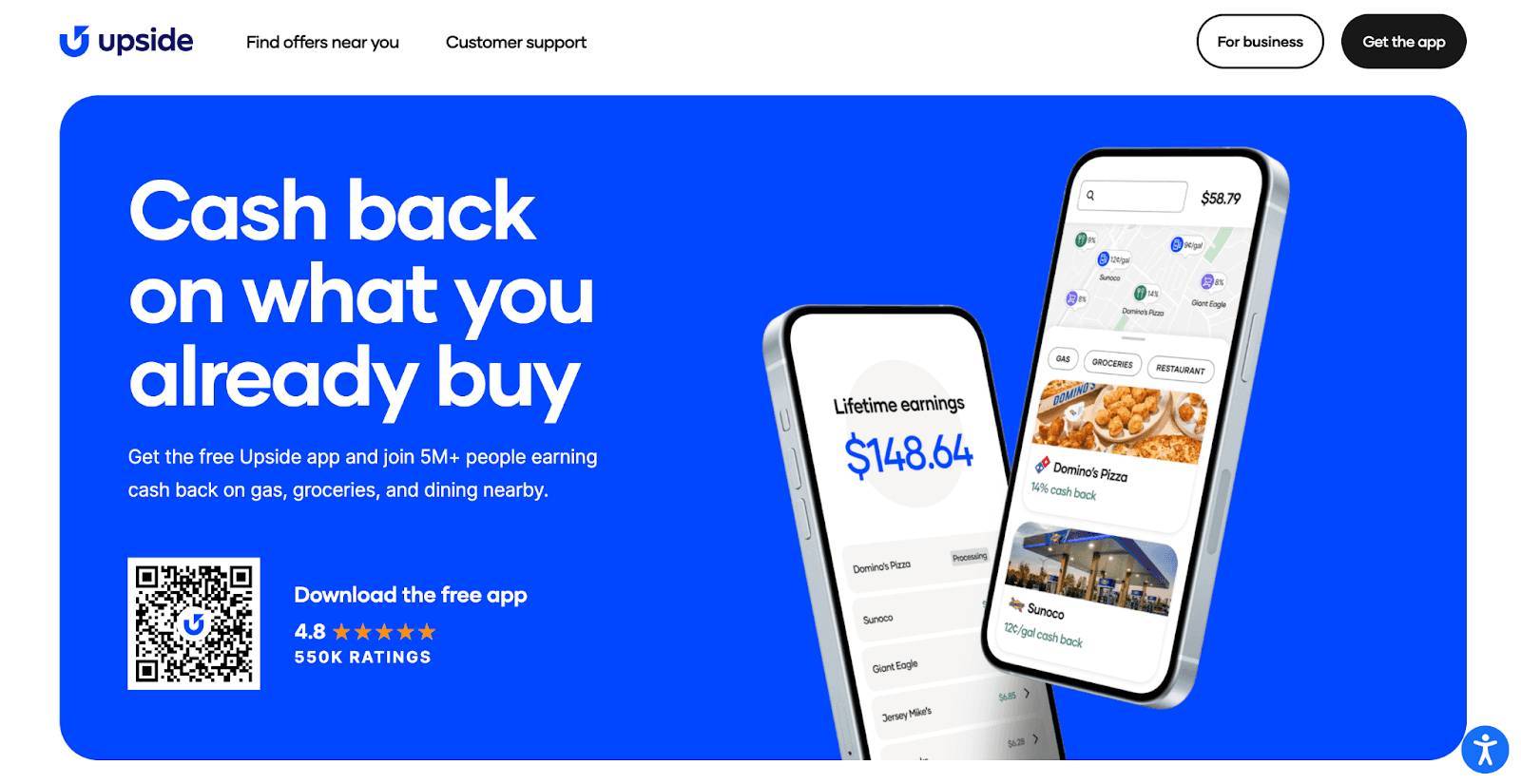
Upside offers cash back on gas, groceries, and restaurant purchases. Users claim deals through the app, make their purchase, then upload a receipt. Cash back appears within 24-48 hours.
Key features:
Cash back on gas, groceries, and restaurant purchases (gas savings typically 5-25 cents per gallon).
Cash out to bank account, PayPal, or gift card ($15 minimum).
Cost: Free
Best for: Drivers and grocery shoppers who want free cash back without a subscription.
How to Choose the Right Money Saving App
Choosing the best money-saving app depends on your financial goals, spending habits, and how hands-on you want to be.
Match Your Savings Goals
For short-term goals like building an emergency fund, focus on apps that deliver immediate value through cash back or automated savings transfers. For long-term goals like retirement, investment apps that turn spare change into diversified portfolios offer better growth potential. For spending control, look for comprehensive budgeting tools, subscription management, or envelope-style tracking.
Consider Your Spending Patterns
Regular grocery shoppers get the most from cash back apps. Frequent card users benefit from round-up features that save spare change automatically. Impulse buyers do better with autopilot savings that move money out of reach. Subscription-heavy users should prioritize apps that detect forgotten charges and negotiate lower bills.
Evaluate Costs vs. Value
Free apps like Benny, Chime, and Upside deliver strong value without a subscription fee, which is ideal for getting started. Paid options range from $3–$15/month, so make sure the return justifies the cost. Most paid apps offer 30-day free trials. Use them fully and set a reminder before they expire.
Safety and Security
Look for FDIC insurance, which protects deposits up to $250,000 through partner banks. Verify that any app uses 256-bit encryption and multi-factor authentication before linking accounts. Check recent app store reviews for red flags around security or customer service.
Think About Your Banking Setup
Some apps connect to your existing checking account, keeping finances consolidated. Others offer their own bank account with built-in savings, direct deposit, and a debit card. Also consider whether you need investment accounts or just savings — investing offers higher long-term growth but involves market risk, while FDIC-insured savings accounts are safer for short-term goals.
Tips to Maximize Your Savings
Start with one app and master it before adding more. Learn how it works, build the habit, and then layer in additional tools once it feels second nature.
Stack strategically so each app serves a different purpose. Cash back, investing, and budgeting can all work together without overlap.Just avoid doubling up on apps that do the same thing.
Set specific goals with deadlines. "Save $2,000 by December" is more motivating than "save more money." Review your spending monthly to catch overspending patterns and redirect funds where they matter most.
Automate everything you can. Enable autosave, turn on round-ups, and split your direct deposit between checking and savings. The less you depend on willpower, the more consistently you'll save.
Link all your accounts for full visibility. Partial connectivity creates blind spots where money slips through untracked. The more complete your financial picture, the better your apps can identify savings opportunities.
Start Saving More on Groceries with Benny
One of the easiest ways to start saving is with an app that offers immediate rewards. Benny provides:
1% cash back with the Benny Visa debit card
Credit-building features with no credit check required
Digital food coupons from top brands like Chobani, Kraft Heinz, and Horizon Organic
Up to 3% cash back on SNAP purchases at participating retailers
Real-time EBT balance tracking
Works at stores you already shop at, including Walmart, Target, Kroger, Costco, Safeway, and Whole Foods
Download the Benny app. It’s free to use, with no subscription fees or hidden costs.
Frequently Asked Questions
SHARE
The best money-saving apps turn building savings into something almost effortless. Instead of relying on willpower, these apps work in the background: earning cash back on groceries, rounding up purchases, and moving spare change into savings accounts.
Many Americans struggle to save consistently. Between rising costs and competing financial priorities, setting aside money feels impossible. That's where apps to help you save money make a difference. They automate the entire process, so saving becomes a habit rather than a chore.
Money-saving apps fall into several categories: cash back apps that reward everyday purchases, automated savings tools that transfer funds on autopilot, budgeting apps that track spending habits, and investment accounts that grow net worth over time.
This guide reviews the best savings apps for 2026, comparing what each costs and which financial goals they serve best. Whether you need an app for saving money on groceries or want to build long-term wealth, you'll find the right tool here.
What Are Money Saving Apps and How Do They Work?
How the Best Savings Apps Help Users Save
The most effective money-saving apps remove friction from savings decisions by automating the process. Instead of relying on willpower or remembering to transfer money, these apps work quietly in the background to help you save money.
Cash back apps reward everyday purchases at grocery stores and gas stations. Apps like Benny earn users 1-3% back on groceries, turning regular shopping trips into savings opportunities. These are among the best money-saving apps for anyone who wants immediate returns on spending they're already doing.
Apps for money saving through automated transfers analyze your bank account and move safe amounts to savings. These saving apps learn your spending habits and income patterns, then transfer small amounts you won't miss. They're ideal for building an emergency fund on autopilot.
Budgeting apps track spending across credit cards, debit card purchases, and checking account activity. They categorize transactions automatically, showing exactly where money goes each month. This visibility helps users identify areas to cut back and reach financial goals faster.
Investment apps turn spare change into long-term wealth. Using round-up features, these apps invest the difference when purchases round to the nearest dollar. Over time, those small amounts grow into a diversified investment portfolio that builds net worth.
Why Automatic Savings Works
Making savings automatic dramatically increases success rates by removing decision fatigue from the equation. When every dollar requires an active choice, willpower eventually fails. Automated savings eliminates that friction entirely.
The numbers prove the power of small amounts. Saving just $5 per day through round-ups equals over $1,800 per year. A $3 coffee rounded up to $4 means $1 saved. Do that twice a day across various purchases, and spare change becomes real money without any conscious effort.
Autosave features work especially well for building an emergency fund. Most financial experts recommend 3-6 months of expenses saved, but that goal feels overwhelming. When apps to help you save money transfer $50 here and $25 there automatically, those savings goals become achievable. The autopilot approach turns saving from an impossible task into an invisible habit that builds financial security over time.
Best Money Saving Apps for 2026
Here's how the top money-saving apps compare at a glance with a detailed breakdown below.
App | Best For | Cost | Key Benefit |
Benny | Grocery and gas cash back | Free | 1–3% cash back; works with SNAP/EBT |
Acorns | Investing spare change | $3–$12/month | Automatic round-ups invested into portfolios |
Rocket Money | Subscription management | Free; $6–$12/month premium | Finds and cancels forgotten subscriptions |
Chime | Automated savings | Free | 10% autosave on direct deposits + round-ups |
Qapital | Goal-based savings | $6/month | Custom saving rules with visual goal tracking |
YNAB | Hands-on budgeting | $14.99/month or $109/year | Zero-based budgeting for full spending control |
Goodbudget | Envelope budgeting | Free; $10/month for Plus | Digital envelope method with no bank linking |
Oportun | Autopilot savings | $5/month | Algorithm auto-transfers safe amounts to savings |
Upside | Gas & grocery cash back | Free | 5–25¢/gallon on gas + grocery cash back |
1. Benny: Best Overall Money Saving App for Grocery Cash Back
Benny stands out as the best money-saving app for anyone who buys groceries. The app is free and delivers immediate value through cash back on everyday purchases at stores like Walmart, Target, Kroger, Costco, Safeway, and Whole Foods.
Key features:
1% cash back with the Benny Visa debit card on groceries and gas.
1-3% cash back on SNAP/EBT purchases at participating retailers.
Real-time EBT balance tracking through the mobile app.
Credit-building features with no credit check required.
Digital food coupons from hundreds of brands, including Kraft Heinz, General Mills, Kellogg’s, and Chobani.
Pricing: Free
Best for: Grocery shoppers and SNAP/EBT recipients who want free cash back on everyday purchases.
Unlike most cash back apps that don’t work with government benefits, Benny serves both general shoppers and SNAP recipients. Benny is available for download on iOS and Android, with no subscription fees or hidden costs.
Download Benny to start earning immediate cash back on groceries without paying subscription fees.
2. Acorns: Best Money Saving App for Investing Spare Change
Acorns takes the round-up concept and turns spare change into investments. When users purchase with linked credit cards or a debit card, Acorns rounds to the nearest dollar and invests the difference into a diversified investment portfolio.
Key features:
Automatic round-ups from purchases.
Diversified investment accounts based on financial goals.
IRA options for retirement planning with contribution matching at higher tiers.
Mighty Oak debit card with high-yield savings account features.
FDIC insurance through partner banks.
Pricing:
Acorns offers three tiers: Bronze ($3/month), Silver ($6/month), and Gold ($12/month).
Higher tiers include IRA match benefits on contributions.
Best for: Beginner investors who want to grow their net worth through automated investing.
3. Rocket Money: Best Money Saving App for Subscription Management
Rocket Money helps users find and cancel subscriptions they've forgotten about. The app connects to bank accounts and credit cards to identify recurring charges, then offers to cancel unwanted services or negotiate lower bills on the user's behalf.
Key features:
Automatic subscription detection across linked accounts.
Cancel unwanted subscriptions directly through the app.
Bill negotiation services on premium plans.
Basic budgeting tools included in the free version.
Pricing:
Free basic version for subscription tracking and budgeting.
Premium: $6–$12/month for bill negotiation services.
Best for: People wanting to eliminate subscription hassles and reduce spending on forgotten services.
4. Chime: Best Money Saving App for Automated Banking Savings
Chime combines a checking account with built-in savings features. The autosave feature transfers 10% of every direct deposit to savings, while round-ups save spare change from every debit card purchase. Both run in the background with no monthly fees, no overdraft fees, and early access to direct deposit paychecks up to 2 days before payday.
Key features:
Autosave transfers 10% of every direct deposit to savings.
Round-ups on every debit card purchase.
No monthly fees, overdraft fees, or minimum balance requirements.
Early direct deposit up to 2 days early.
FDIC insurance through partner banks.
Cost: Free.
Best for: People who want a free checking account with autopilot savings built in.
5. Qapital: Best Money Saving App for Goal-Based Savings
Qapital takes a visual, goal-oriented approach to saving. Users set goals with photos, then create rules that automate transfers, like saving $5 every coffee purchase, rounding up spare change, or transferring fixed amounts weekly. Multiple family members can share goals and contribute together.
Key features:
Visual goal tracking with photos and milestones.
Customizable saving rules (round-ups, guilty pleasure, set and forget, weather-based).
Family goal sharing.
FDIC insurance through partner banks.
Cost: $6/month after 30-day free trial.
Best for: Visual savers who want customizable rules and family sharing for goal-based savings.
6. YNAB (You Need a Budget): Best Money Saving App for Hands-On Budgeting
YNAB is built around the philosophy that every dollar should have a job. The zero-based budgeting approach assigns every dollar to a specific category before the month begins, forcing intentional spending decisions. Users report saving an average of $600 in their first month.
Key features:
Zero-based budgeting where every dollar gets assigned a job.
Automatic transaction imports from linked bank accounts.
Real-time syncing across all devices.
Built-in personal finance education with tutorials and workshops.
Cost: $14.99/month or $109/year after 34-day free trial.
Best for: Committed budgeters willing to actively manage every dollar for maximum spending control.
7. Goodbudget: Best Money Saving App for Envelope Budgeting
Goodbudget brings the classic envelope budgeting method into a mobile app. Users divide monthly income into virtual envelopes for rent, groceries, entertainment, and other categories. When an envelope runs empty, spending in that category stops. No bank account linking is required.
Key features:
Digital envelope budgeting method.
Manual transaction entry for full spending awareness.
Multi-device syncing for families or couples.
No bank account linking required.
Pricing:
Free: Up to 10 envelopes and one account.
Plus: $10/month for unlimited envelopes and accounts.
Best for: Hands-on budgeters who want envelope-style spending control without linking bank accounts.
8. Oportun (formerly Digit): Best Money Saving App for Autopilot Savings
Oportun analyzes spending habits and income, then automatically transfers small, safe amounts to savings. The algorithm studies your bank account patterns and moves money, sometimes $5, sometimes $20, every 2–3 days whenever it's safe, adjusting based on upcoming bills.
Key features:
Algorithm analyzes spending and auto-transfers safe amounts.
Transfers every 2–3 days, adjusted for upcoming bills.
Overdraft reimbursement up to $250.
Savings goal setting with optimized transfers.
FDIC insurance through partner banks.
Cost: $5/month after 30-day free trial.
Best for: People who want completely automated savings without any manual input.
9. Upside: Best Money Saving App for Gas and Grocery Cash Back
Upside offers cash back on gas, groceries, and restaurant purchases. Users claim deals through the app, make their purchase, then upload a receipt. Cash back appears within 24-48 hours.
Key features:
Cash back on gas, groceries, and restaurant purchases (gas savings typically 5-25 cents per gallon).
Cash out to bank account, PayPal, or gift card ($15 minimum).
Cost: Free
Best for: Drivers and grocery shoppers who want free cash back without a subscription.
How to Choose the Right Money Saving App
Choosing the best money-saving app depends on your financial goals, spending habits, and how hands-on you want to be.
Match Your Savings Goals
For short-term goals like building an emergency fund, focus on apps that deliver immediate value through cash back or automated savings transfers. For long-term goals like retirement, investment apps that turn spare change into diversified portfolios offer better growth potential. For spending control, look for comprehensive budgeting tools, subscription management, or envelope-style tracking.
Consider Your Spending Patterns
Regular grocery shoppers get the most from cash back apps. Frequent card users benefit from round-up features that save spare change automatically. Impulse buyers do better with autopilot savings that move money out of reach. Subscription-heavy users should prioritize apps that detect forgotten charges and negotiate lower bills.
Evaluate Costs vs. Value
Free apps like Benny, Chime, and Upside deliver strong value without a subscription fee, which is ideal for getting started. Paid options range from $3–$15/month, so make sure the return justifies the cost. Most paid apps offer 30-day free trials. Use them fully and set a reminder before they expire.
Safety and Security
Look for FDIC insurance, which protects deposits up to $250,000 through partner banks. Verify that any app uses 256-bit encryption and multi-factor authentication before linking accounts. Check recent app store reviews for red flags around security or customer service.
Think About Your Banking Setup
Some apps connect to your existing checking account, keeping finances consolidated. Others offer their own bank account with built-in savings, direct deposit, and a debit card. Also consider whether you need investment accounts or just savings — investing offers higher long-term growth but involves market risk, while FDIC-insured savings accounts are safer for short-term goals.
Tips to Maximize Your Savings
Start with one app and master it before adding more. Learn how it works, build the habit, and then layer in additional tools once it feels second nature.
Stack strategically so each app serves a different purpose. Cash back, investing, and budgeting can all work together without overlap.Just avoid doubling up on apps that do the same thing.
Set specific goals with deadlines. "Save $2,000 by December" is more motivating than "save more money." Review your spending monthly to catch overspending patterns and redirect funds where they matter most.
Automate everything you can. Enable autosave, turn on round-ups, and split your direct deposit between checking and savings. The less you depend on willpower, the more consistently you'll save.
Link all your accounts for full visibility. Partial connectivity creates blind spots where money slips through untracked. The more complete your financial picture, the better your apps can identify savings opportunities.
Start Saving More on Groceries with Benny
One of the easiest ways to start saving is with an app that offers immediate rewards. Benny provides:
1% cash back with the Benny Visa debit card
Credit-building features with no credit check required
Digital food coupons from top brands like Chobani, Kraft Heinz, and Horizon Organic
Up to 3% cash back on SNAP purchases at participating retailers
Real-time EBT balance tracking
Works at stores you already shop at, including Walmart, Target, Kroger, Costco, Safeway, and Whole Foods
Download the Benny app. It’s free to use, with no subscription fees or hidden costs.
Frequently Asked Questions
SHARE
The best money-saving apps turn building savings into something almost effortless. Instead of relying on willpower, these apps work in the background: earning cash back on groceries, rounding up purchases, and moving spare change into savings accounts.
Many Americans struggle to save consistently. Between rising costs and competing financial priorities, setting aside money feels impossible. That's where apps to help you save money make a difference. They automate the entire process, so saving becomes a habit rather than a chore.
Money-saving apps fall into several categories: cash back apps that reward everyday purchases, automated savings tools that transfer funds on autopilot, budgeting apps that track spending habits, and investment accounts that grow net worth over time.
This guide reviews the best savings apps for 2026, comparing what each costs and which financial goals they serve best. Whether you need an app for saving money on groceries or want to build long-term wealth, you'll find the right tool here.
What Are Money Saving Apps and How Do They Work?
How the Best Savings Apps Help Users Save
The most effective money-saving apps remove friction from savings decisions by automating the process. Instead of relying on willpower or remembering to transfer money, these apps work quietly in the background to help you save money.
Cash back apps reward everyday purchases at grocery stores and gas stations. Apps like Benny earn users 1-3% back on groceries, turning regular shopping trips into savings opportunities. These are among the best money-saving apps for anyone who wants immediate returns on spending they're already doing.
Apps for money saving through automated transfers analyze your bank account and move safe amounts to savings. These saving apps learn your spending habits and income patterns, then transfer small amounts you won't miss. They're ideal for building an emergency fund on autopilot.
Budgeting apps track spending across credit cards, debit card purchases, and checking account activity. They categorize transactions automatically, showing exactly where money goes each month. This visibility helps users identify areas to cut back and reach financial goals faster.
Investment apps turn spare change into long-term wealth. Using round-up features, these apps invest the difference when purchases round to the nearest dollar. Over time, those small amounts grow into a diversified investment portfolio that builds net worth.
Why Automatic Savings Works
Making savings automatic dramatically increases success rates by removing decision fatigue from the equation. When every dollar requires an active choice, willpower eventually fails. Automated savings eliminates that friction entirely.
The numbers prove the power of small amounts. Saving just $5 per day through round-ups equals over $1,800 per year. A $3 coffee rounded up to $4 means $1 saved. Do that twice a day across various purchases, and spare change becomes real money without any conscious effort.
Autosave features work especially well for building an emergency fund. Most financial experts recommend 3-6 months of expenses saved, but that goal feels overwhelming. When apps to help you save money transfer $50 here and $25 there automatically, those savings goals become achievable. The autopilot approach turns saving from an impossible task into an invisible habit that builds financial security over time.
Best Money Saving Apps for 2026
Here's how the top money-saving apps compare at a glance with a detailed breakdown below.
App | Best For | Cost | Key Benefit |
Benny | Grocery and gas cash back | Free | 1–3% cash back; works with SNAP/EBT |
Acorns | Investing spare change | $3–$12/month | Automatic round-ups invested into portfolios |
Rocket Money | Subscription management | Free; $6–$12/month premium | Finds and cancels forgotten subscriptions |
Chime | Automated savings | Free | 10% autosave on direct deposits + round-ups |
Qapital | Goal-based savings | $6/month | Custom saving rules with visual goal tracking |
YNAB | Hands-on budgeting | $14.99/month or $109/year | Zero-based budgeting for full spending control |
Goodbudget | Envelope budgeting | Free; $10/month for Plus | Digital envelope method with no bank linking |
Oportun | Autopilot savings | $5/month | Algorithm auto-transfers safe amounts to savings |
Upside | Gas & grocery cash back | Free | 5–25¢/gallon on gas + grocery cash back |
1. Benny: Best Overall Money Saving App for Grocery Cash Back
Benny stands out as the best money-saving app for anyone who buys groceries. The app is free and delivers immediate value through cash back on everyday purchases at stores like Walmart, Target, Kroger, Costco, Safeway, and Whole Foods.
Key features:
1% cash back with the Benny Visa debit card on groceries and gas.
1-3% cash back on SNAP/EBT purchases at participating retailers.
Real-time EBT balance tracking through the mobile app.
Credit-building features with no credit check required.
Digital food coupons from hundreds of brands, including Kraft Heinz, General Mills, Kellogg’s, and Chobani.
Pricing: Free
Best for: Grocery shoppers and SNAP/EBT recipients who want free cash back on everyday purchases.
Unlike most cash back apps that don’t work with government benefits, Benny serves both general shoppers and SNAP recipients. Benny is available for download on iOS and Android, with no subscription fees or hidden costs.
Download Benny to start earning immediate cash back on groceries without paying subscription fees.
2. Acorns: Best Money Saving App for Investing Spare Change
Acorns takes the round-up concept and turns spare change into investments. When users purchase with linked credit cards or a debit card, Acorns rounds to the nearest dollar and invests the difference into a diversified investment portfolio.
Key features:
Automatic round-ups from purchases.
Diversified investment accounts based on financial goals.
IRA options for retirement planning with contribution matching at higher tiers.
Mighty Oak debit card with high-yield savings account features.
FDIC insurance through partner banks.
Pricing:
Acorns offers three tiers: Bronze ($3/month), Silver ($6/month), and Gold ($12/month).
Higher tiers include IRA match benefits on contributions.
Best for: Beginner investors who want to grow their net worth through automated investing.
3. Rocket Money: Best Money Saving App for Subscription Management
Rocket Money helps users find and cancel subscriptions they've forgotten about. The app connects to bank accounts and credit cards to identify recurring charges, then offers to cancel unwanted services or negotiate lower bills on the user's behalf.
Key features:
Automatic subscription detection across linked accounts.
Cancel unwanted subscriptions directly through the app.
Bill negotiation services on premium plans.
Basic budgeting tools included in the free version.
Pricing:
Free basic version for subscription tracking and budgeting.
Premium: $6–$12/month for bill negotiation services.
Best for: People wanting to eliminate subscription hassles and reduce spending on forgotten services.
4. Chime: Best Money Saving App for Automated Banking Savings
Chime combines a checking account with built-in savings features. The autosave feature transfers 10% of every direct deposit to savings, while round-ups save spare change from every debit card purchase. Both run in the background with no monthly fees, no overdraft fees, and early access to direct deposit paychecks up to 2 days before payday.
Key features:
Autosave transfers 10% of every direct deposit to savings.
Round-ups on every debit card purchase.
No monthly fees, overdraft fees, or minimum balance requirements.
Early direct deposit up to 2 days early.
FDIC insurance through partner banks.
Cost: Free.
Best for: People who want a free checking account with autopilot savings built in.
5. Qapital: Best Money Saving App for Goal-Based Savings
Qapital takes a visual, goal-oriented approach to saving. Users set goals with photos, then create rules that automate transfers, like saving $5 every coffee purchase, rounding up spare change, or transferring fixed amounts weekly. Multiple family members can share goals and contribute together.
Key features:
Visual goal tracking with photos and milestones.
Customizable saving rules (round-ups, guilty pleasure, set and forget, weather-based).
Family goal sharing.
FDIC insurance through partner banks.
Cost: $6/month after 30-day free trial.
Best for: Visual savers who want customizable rules and family sharing for goal-based savings.
6. YNAB (You Need a Budget): Best Money Saving App for Hands-On Budgeting
YNAB is built around the philosophy that every dollar should have a job. The zero-based budgeting approach assigns every dollar to a specific category before the month begins, forcing intentional spending decisions. Users report saving an average of $600 in their first month.
Key features:
Zero-based budgeting where every dollar gets assigned a job.
Automatic transaction imports from linked bank accounts.
Real-time syncing across all devices.
Built-in personal finance education with tutorials and workshops.
Cost: $14.99/month or $109/year after 34-day free trial.
Best for: Committed budgeters willing to actively manage every dollar for maximum spending control.
7. Goodbudget: Best Money Saving App for Envelope Budgeting
Goodbudget brings the classic envelope budgeting method into a mobile app. Users divide monthly income into virtual envelopes for rent, groceries, entertainment, and other categories. When an envelope runs empty, spending in that category stops. No bank account linking is required.
Key features:
Digital envelope budgeting method.
Manual transaction entry for full spending awareness.
Multi-device syncing for families or couples.
No bank account linking required.
Pricing:
Free: Up to 10 envelopes and one account.
Plus: $10/month for unlimited envelopes and accounts.
Best for: Hands-on budgeters who want envelope-style spending control without linking bank accounts.
8. Oportun (formerly Digit): Best Money Saving App for Autopilot Savings
Oportun analyzes spending habits and income, then automatically transfers small, safe amounts to savings. The algorithm studies your bank account patterns and moves money, sometimes $5, sometimes $20, every 2–3 days whenever it's safe, adjusting based on upcoming bills.
Key features:
Algorithm analyzes spending and auto-transfers safe amounts.
Transfers every 2–3 days, adjusted for upcoming bills.
Overdraft reimbursement up to $250.
Savings goal setting with optimized transfers.
FDIC insurance through partner banks.
Cost: $5/month after 30-day free trial.
Best for: People who want completely automated savings without any manual input.
9. Upside: Best Money Saving App for Gas and Grocery Cash Back
Upside offers cash back on gas, groceries, and restaurant purchases. Users claim deals through the app, make their purchase, then upload a receipt. Cash back appears within 24-48 hours.
Key features:
Cash back on gas, groceries, and restaurant purchases (gas savings typically 5-25 cents per gallon).
Cash out to bank account, PayPal, or gift card ($15 minimum).
Cost: Free
Best for: Drivers and grocery shoppers who want free cash back without a subscription.
How to Choose the Right Money Saving App
Choosing the best money-saving app depends on your financial goals, spending habits, and how hands-on you want to be.
Match Your Savings Goals
For short-term goals like building an emergency fund, focus on apps that deliver immediate value through cash back or automated savings transfers. For long-term goals like retirement, investment apps that turn spare change into diversified portfolios offer better growth potential. For spending control, look for comprehensive budgeting tools, subscription management, or envelope-style tracking.
Consider Your Spending Patterns
Regular grocery shoppers get the most from cash back apps. Frequent card users benefit from round-up features that save spare change automatically. Impulse buyers do better with autopilot savings that move money out of reach. Subscription-heavy users should prioritize apps that detect forgotten charges and negotiate lower bills.
Evaluate Costs vs. Value
Free apps like Benny, Chime, and Upside deliver strong value without a subscription fee, which is ideal for getting started. Paid options range from $3–$15/month, so make sure the return justifies the cost. Most paid apps offer 30-day free trials. Use them fully and set a reminder before they expire.
Safety and Security
Look for FDIC insurance, which protects deposits up to $250,000 through partner banks. Verify that any app uses 256-bit encryption and multi-factor authentication before linking accounts. Check recent app store reviews for red flags around security or customer service.
Think About Your Banking Setup
Some apps connect to your existing checking account, keeping finances consolidated. Others offer their own bank account with built-in savings, direct deposit, and a debit card. Also consider whether you need investment accounts or just savings — investing offers higher long-term growth but involves market risk, while FDIC-insured savings accounts are safer for short-term goals.
Tips to Maximize Your Savings
Start with one app and master it before adding more. Learn how it works, build the habit, and then layer in additional tools once it feels second nature.
Stack strategically so each app serves a different purpose. Cash back, investing, and budgeting can all work together without overlap.Just avoid doubling up on apps that do the same thing.
Set specific goals with deadlines. "Save $2,000 by December" is more motivating than "save more money." Review your spending monthly to catch overspending patterns and redirect funds where they matter most.
Automate everything you can. Enable autosave, turn on round-ups, and split your direct deposit between checking and savings. The less you depend on willpower, the more consistently you'll save.
Link all your accounts for full visibility. Partial connectivity creates blind spots where money slips through untracked. The more complete your financial picture, the better your apps can identify savings opportunities.
Start Saving More on Groceries with Benny
One of the easiest ways to start saving is with an app that offers immediate rewards. Benny provides:
1% cash back with the Benny Visa debit card
Credit-building features with no credit check required
Digital food coupons from top brands like Chobani, Kraft Heinz, and Horizon Organic
Up to 3% cash back on SNAP purchases at participating retailers
Real-time EBT balance tracking
Works at stores you already shop at, including Walmart, Target, Kroger, Costco, Safeway, and Whole Foods
Download the Benny app. It’s free to use, with no subscription fees or hidden costs.
Frequently Asked Questions
SHARE
The best money-saving apps turn building savings into something almost effortless. Instead of relying on willpower, these apps work in the background: earning cash back on groceries, rounding up purchases, and moving spare change into savings accounts.
Many Americans struggle to save consistently. Between rising costs and competing financial priorities, setting aside money feels impossible. That's where apps to help you save money make a difference. They automate the entire process, so saving becomes a habit rather than a chore.
Money-saving apps fall into several categories: cash back apps that reward everyday purchases, automated savings tools that transfer funds on autopilot, budgeting apps that track spending habits, and investment accounts that grow net worth over time.
This guide reviews the best savings apps for 2026, comparing what each costs and which financial goals they serve best. Whether you need an app for saving money on groceries or want to build long-term wealth, you'll find the right tool here.
What Are Money Saving Apps and How Do They Work?
How the Best Savings Apps Help Users Save
The most effective money-saving apps remove friction from savings decisions by automating the process. Instead of relying on willpower or remembering to transfer money, these apps work quietly in the background to help you save money.
Cash back apps reward everyday purchases at grocery stores and gas stations. Apps like Benny earn users 1-3% back on groceries, turning regular shopping trips into savings opportunities. These are among the best money-saving apps for anyone who wants immediate returns on spending they're already doing.
Apps for money saving through automated transfers analyze your bank account and move safe amounts to savings. These saving apps learn your spending habits and income patterns, then transfer small amounts you won't miss. They're ideal for building an emergency fund on autopilot.
Budgeting apps track spending across credit cards, debit card purchases, and checking account activity. They categorize transactions automatically, showing exactly where money goes each month. This visibility helps users identify areas to cut back and reach financial goals faster.
Investment apps turn spare change into long-term wealth. Using round-up features, these apps invest the difference when purchases round to the nearest dollar. Over time, those small amounts grow into a diversified investment portfolio that builds net worth.
Why Automatic Savings Works
Making savings automatic dramatically increases success rates by removing decision fatigue from the equation. When every dollar requires an active choice, willpower eventually fails. Automated savings eliminates that friction entirely.
The numbers prove the power of small amounts. Saving just $5 per day through round-ups equals over $1,800 per year. A $3 coffee rounded up to $4 means $1 saved. Do that twice a day across various purchases, and spare change becomes real money without any conscious effort.
Autosave features work especially well for building an emergency fund. Most financial experts recommend 3-6 months of expenses saved, but that goal feels overwhelming. When apps to help you save money transfer $50 here and $25 there automatically, those savings goals become achievable. The autopilot approach turns saving from an impossible task into an invisible habit that builds financial security over time.
Best Money Saving Apps for 2026
Here's how the top money-saving apps compare at a glance with a detailed breakdown below.
App | Best For | Cost | Key Benefit |
Benny | Grocery and gas cash back | Free | 1–3% cash back; works with SNAP/EBT |
Acorns | Investing spare change | $3–$12/month | Automatic round-ups invested into portfolios |
Rocket Money | Subscription management | Free; $6–$12/month premium | Finds and cancels forgotten subscriptions |
Chime | Automated savings | Free | 10% autosave on direct deposits + round-ups |
Qapital | Goal-based savings | $6/month | Custom saving rules with visual goal tracking |
YNAB | Hands-on budgeting | $14.99/month or $109/year | Zero-based budgeting for full spending control |
Goodbudget | Envelope budgeting | Free; $10/month for Plus | Digital envelope method with no bank linking |
Oportun | Autopilot savings | $5/month | Algorithm auto-transfers safe amounts to savings |
Upside | Gas & grocery cash back | Free | 5–25¢/gallon on gas + grocery cash back |
1. Benny: Best Overall Money Saving App for Grocery Cash Back
Benny stands out as the best money-saving app for anyone who buys groceries. The app is free and delivers immediate value through cash back on everyday purchases at stores like Walmart, Target, Kroger, Costco, Safeway, and Whole Foods.
Key features:
1% cash back with the Benny Visa debit card on groceries and gas.
1-3% cash back on SNAP/EBT purchases at participating retailers.
Real-time EBT balance tracking through the mobile app.
Credit-building features with no credit check required.
Digital food coupons from hundreds of brands, including Kraft Heinz, General Mills, Kellogg’s, and Chobani.
Pricing: Free
Best for: Grocery shoppers and SNAP/EBT recipients who want free cash back on everyday purchases.
Unlike most cash back apps that don’t work with government benefits, Benny serves both general shoppers and SNAP recipients. Benny is available for download on iOS and Android, with no subscription fees or hidden costs.
Download Benny to start earning immediate cash back on groceries without paying subscription fees.
2. Acorns: Best Money Saving App for Investing Spare Change
Acorns takes the round-up concept and turns spare change into investments. When users purchase with linked credit cards or a debit card, Acorns rounds to the nearest dollar and invests the difference into a diversified investment portfolio.
Key features:
Automatic round-ups from purchases.
Diversified investment accounts based on financial goals.
IRA options for retirement planning with contribution matching at higher tiers.
Mighty Oak debit card with high-yield savings account features.
FDIC insurance through partner banks.
Pricing:
Acorns offers three tiers: Bronze ($3/month), Silver ($6/month), and Gold ($12/month).
Higher tiers include IRA match benefits on contributions.
Best for: Beginner investors who want to grow their net worth through automated investing.
3. Rocket Money: Best Money Saving App for Subscription Management
Rocket Money helps users find and cancel subscriptions they've forgotten about. The app connects to bank accounts and credit cards to identify recurring charges, then offers to cancel unwanted services or negotiate lower bills on the user's behalf.
Key features:
Automatic subscription detection across linked accounts.
Cancel unwanted subscriptions directly through the app.
Bill negotiation services on premium plans.
Basic budgeting tools included in the free version.
Pricing:
Free basic version for subscription tracking and budgeting.
Premium: $6–$12/month for bill negotiation services.
Best for: People wanting to eliminate subscription hassles and reduce spending on forgotten services.
4. Chime: Best Money Saving App for Automated Banking Savings
Chime combines a checking account with built-in savings features. The autosave feature transfers 10% of every direct deposit to savings, while round-ups save spare change from every debit card purchase. Both run in the background with no monthly fees, no overdraft fees, and early access to direct deposit paychecks up to 2 days before payday.
Key features:
Autosave transfers 10% of every direct deposit to savings.
Round-ups on every debit card purchase.
No monthly fees, overdraft fees, or minimum balance requirements.
Early direct deposit up to 2 days early.
FDIC insurance through partner banks.
Cost: Free.
Best for: People who want a free checking account with autopilot savings built in.
5. Qapital: Best Money Saving App for Goal-Based Savings
Qapital takes a visual, goal-oriented approach to saving. Users set goals with photos, then create rules that automate transfers, like saving $5 every coffee purchase, rounding up spare change, or transferring fixed amounts weekly. Multiple family members can share goals and contribute together.
Key features:
Visual goal tracking with photos and milestones.
Customizable saving rules (round-ups, guilty pleasure, set and forget, weather-based).
Family goal sharing.
FDIC insurance through partner banks.
Cost: $6/month after 30-day free trial.
Best for: Visual savers who want customizable rules and family sharing for goal-based savings.
6. YNAB (You Need a Budget): Best Money Saving App for Hands-On Budgeting
YNAB is built around the philosophy that every dollar should have a job. The zero-based budgeting approach assigns every dollar to a specific category before the month begins, forcing intentional spending decisions. Users report saving an average of $600 in their first month.
Key features:
Zero-based budgeting where every dollar gets assigned a job.
Automatic transaction imports from linked bank accounts.
Real-time syncing across all devices.
Built-in personal finance education with tutorials and workshops.
Cost: $14.99/month or $109/year after 34-day free trial.
Best for: Committed budgeters willing to actively manage every dollar for maximum spending control.
7. Goodbudget: Best Money Saving App for Envelope Budgeting
Goodbudget brings the classic envelope budgeting method into a mobile app. Users divide monthly income into virtual envelopes for rent, groceries, entertainment, and other categories. When an envelope runs empty, spending in that category stops. No bank account linking is required.
Key features:
Digital envelope budgeting method.
Manual transaction entry for full spending awareness.
Multi-device syncing for families or couples.
No bank account linking required.
Pricing:
Free: Up to 10 envelopes and one account.
Plus: $10/month for unlimited envelopes and accounts.
Best for: Hands-on budgeters who want envelope-style spending control without linking bank accounts.
8. Oportun (formerly Digit): Best Money Saving App for Autopilot Savings
Oportun analyzes spending habits and income, then automatically transfers small, safe amounts to savings. The algorithm studies your bank account patterns and moves money, sometimes $5, sometimes $20, every 2–3 days whenever it's safe, adjusting based on upcoming bills.
Key features:
Algorithm analyzes spending and auto-transfers safe amounts.
Transfers every 2–3 days, adjusted for upcoming bills.
Overdraft reimbursement up to $250.
Savings goal setting with optimized transfers.
FDIC insurance through partner banks.
Cost: $5/month after 30-day free trial.
Best for: People who want completely automated savings without any manual input.
9. Upside: Best Money Saving App for Gas and Grocery Cash Back
Upside offers cash back on gas, groceries, and restaurant purchases. Users claim deals through the app, make their purchase, then upload a receipt. Cash back appears within 24-48 hours.
Key features:
Cash back on gas, groceries, and restaurant purchases (gas savings typically 5-25 cents per gallon).
Cash out to bank account, PayPal, or gift card ($15 minimum).
Cost: Free
Best for: Drivers and grocery shoppers who want free cash back without a subscription.
How to Choose the Right Money Saving App
Choosing the best money-saving app depends on your financial goals, spending habits, and how hands-on you want to be.
Match Your Savings Goals
For short-term goals like building an emergency fund, focus on apps that deliver immediate value through cash back or automated savings transfers. For long-term goals like retirement, investment apps that turn spare change into diversified portfolios offer better growth potential. For spending control, look for comprehensive budgeting tools, subscription management, or envelope-style tracking.
Consider Your Spending Patterns
Regular grocery shoppers get the most from cash back apps. Frequent card users benefit from round-up features that save spare change automatically. Impulse buyers do better with autopilot savings that move money out of reach. Subscription-heavy users should prioritize apps that detect forgotten charges and negotiate lower bills.
Evaluate Costs vs. Value
Free apps like Benny, Chime, and Upside deliver strong value without a subscription fee, which is ideal for getting started. Paid options range from $3–$15/month, so make sure the return justifies the cost. Most paid apps offer 30-day free trials. Use them fully and set a reminder before they expire.
Safety and Security
Look for FDIC insurance, which protects deposits up to $250,000 through partner banks. Verify that any app uses 256-bit encryption and multi-factor authentication before linking accounts. Check recent app store reviews for red flags around security or customer service.
Think About Your Banking Setup
Some apps connect to your existing checking account, keeping finances consolidated. Others offer their own bank account with built-in savings, direct deposit, and a debit card. Also consider whether you need investment accounts or just savings — investing offers higher long-term growth but involves market risk, while FDIC-insured savings accounts are safer for short-term goals.
Tips to Maximize Your Savings
Start with one app and master it before adding more. Learn how it works, build the habit, and then layer in additional tools once it feels second nature.
Stack strategically so each app serves a different purpose. Cash back, investing, and budgeting can all work together without overlap.Just avoid doubling up on apps that do the same thing.
Set specific goals with deadlines. "Save $2,000 by December" is more motivating than "save more money." Review your spending monthly to catch overspending patterns and redirect funds where they matter most.
Automate everything you can. Enable autosave, turn on round-ups, and split your direct deposit between checking and savings. The less you depend on willpower, the more consistently you'll save.
Link all your accounts for full visibility. Partial connectivity creates blind spots where money slips through untracked. The more complete your financial picture, the better your apps can identify savings opportunities.
Start Saving More on Groceries with Benny
One of the easiest ways to start saving is with an app that offers immediate rewards. Benny provides:
1% cash back with the Benny Visa debit card
Credit-building features with no credit check required
Digital food coupons from top brands like Chobani, Kraft Heinz, and Horizon Organic
Up to 3% cash back on SNAP purchases at participating retailers
Real-time EBT balance tracking
Works at stores you already shop at, including Walmart, Target, Kroger, Costco, Safeway, and Whole Foods
Download the Benny app. It’s free to use, with no subscription fees or hidden costs.
